PDF Editing
Create, edit, annotate, merge, split, and organize PDF documents inside FileCenter, reducing reliance on separate PDF software for daily professional document workflows.

FileCenter brings PDF reading, editing, annotation, conversion, OCR, scanning, and document filing into one practical Windows-based workspace. Built for professionals who handle contracts, tax files, claims, records, and client documents every day, it helps you create cleaner PDFs, find information faster, and manage files without costly enterprise software or recurring subscription fees across busy teams.
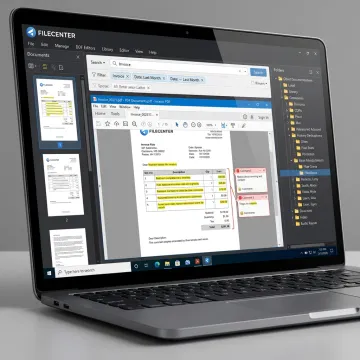
PDF editing, OCR, conversion, scanning, and retrieval tools for practical document-heavy workflows.
Create, edit, annotate, merge, split, and organize PDF documents inside FileCenter, reducing reliance on separate PDF software for daily professional document workflows.
Convert Office documents into PDFs and turn scanned PDFs into editable Word, Excel, or PowerPoint files for easier revision, reuse, and document preparation.
Transform scanned documents into searchable PDFs, making it easier to locate contracts, invoices, tax forms, claims, patient records, and compliance files.
Find documents quickly using filename, metadata, and full-text OCR search across large repositories, improving productivity for teams with high document volume.
Scan paper records directly into organized folders, helping offices digitize files and build searchable digital archives from physical paperwork.
Save and retrieve documents through Microsoft Office and familiar Windows dialogs, helping users manage PDFs without disrupting established workflows.
FileCenter gives professionals a practical way to read, edit, convert, scan, search, and organize PDFs without building a costly enterprise system. With scalable Standard, Pro, and Pro Plus editions, users can match features to their workflow and budget while gaining OCR, document routing, automated filing, and PDF tools in one familiar Windows-based environment.
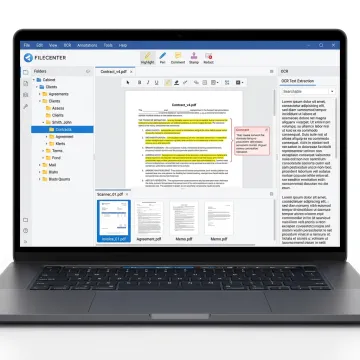
See how better PDF tools and searchable filing help document-heavy teams reclaim time.
FileCenter delivers practical PDF power without premium enterprise complexity.
One-time purchase pricing helps users avoid ongoing subscription costs for essential PDF tools.
Standard, Pro, and Pro Plus editions scale from individuals to multi-user organizations.
PDF editing, OCR, scanning, conversion, search, and routing are combined in one workspace.
A 30-day money-back guarantee lets teams evaluate FileCenter with reduced purchase risk.
Built for professionals managing documents every day.
FileCenter focuses on making professional document management software more accessible for individuals, small businesses, and larger organizations that need serious PDF, scanning, OCR, and filing capabilities without enterprise-level pricing. Its positioning is clear: powerful document management software at a price users can afford. With Standard, Pro, and Pro Plus editions, FileCenter gives customers a practical path from basic PDF and filing needs to advanced OCR, workflow automation, network administration, and cloud-compatible document access. The platform is built for real-world teams in accounting, legal, insurance, financial services, healthcare, real estate, government, and other document-heavy industries where fast retrieval and organized records matter every day.
For Windows users, a strong PDF reader should do more than open files. FileCenter combines PDF viewing with editing, annotation, conversion, OCR, scanning, and searchable filing. That makes it especially useful for professionals who manage high volumes of client records, legal files, invoices, medical documents, tax forms, or compliance paperwork in a Windows-based workflow.
Get guidance on features, editions, and workflow fit.

Risk-free evaluation for every edition.
Affordable professional-grade document tools.
Advanced OCR in Pro Plus.
Tell us about your document workflow, PDF needs, and team size so we can help you identify the right FileCenter edition.
To help us assist you faster, please include the reason for your message so the relevant team can reach out as soon as possible.
To help us assist you faster, please include the reason for your message so the relevant team can reach out as soon as possible.