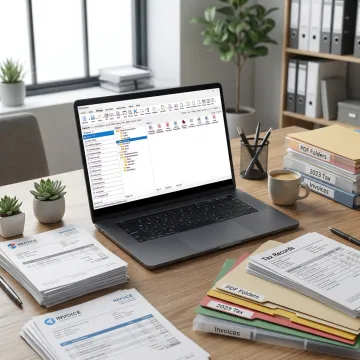
Streamlined DMS Accounting Services for Firms

Bring order to tax files, client records, receipts, invoices, and financial statements with DMS Accounting Services built for document-heavy accounting workflows. FileCenter helps firms digitize paper, search records instantly, automate filing tasks, and manage PDFs without costly enterprise systems, giving teams a practical way to improve accuracy, speed, and document control.

Accounting document management software

Our DMS Accounting Services Services

FileCenter helps accounting teams scan, organize, automate, search, and manage business-critical financial documents.

Document Management

Organize digital and scanned accounting records in a Windows-based electronic filing system, making client files, tax documents, statements, and supporting records easier to store, manage, and retrieve.

Document Scanning

Convert paper receipts, workpapers, forms, and client records into organized digital files, helping accounting teams reduce physical storage and build searchable electronic filing systems.

OCR Processing

Use OCR to transform scanned accounting documents into searchable PDFs, so teams can quickly locate invoices, tax forms, compliance records, and client documentation by text.

File Retrieval

Locate accounting records across large repositories using filenames, metadata, and full-text OCR search, reducing time spent hunting for client documents and financial support files.

Workflow Automation

Automate OCR processing, PDF conversion, routing, and filing tasks to reduce repetitive manual work and improve consistency across recurring accounting document workflows.

PDF Management

Create, edit, annotate, merge, split, and organize PDF documents directly within accounting workflows, avoiding the need for costly separate PDF tools.

Smarter File Control

Accounting Documents Organized for Faster Work

Accounting document management should make every file easier to capture, classify, retrieve, and share. FileCenter combines scanning, OCR, PDF editing, automated routing, and familiar Windows-based filing so firms can manage client documentation without complex enterprise software. With scalable editions, one-time pricing, and a 30-day money-back guarantee, it offers practical document control at a predictable cost.
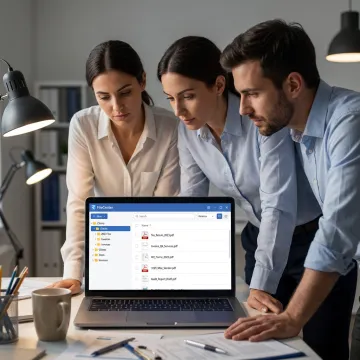
Accounting team managing digital client files
Built For Efficiency

Success Stories

Discover how document-heavy teams simplify filing, retrieval, scanning, and PDF work with FileCenter.

"As a partner in a small business that is very paper intensive, I am thrilled with the capabilities of FileCenter! The system is user friendly, and has allowed us to move documents from print to electronic version quickly, and with simplicity. The system has proven to be reliable, efficient and..."

M. C., LCSW, CMC, CFP

"[FileCenter Professional] combines the functionality of many different programs into one, and is the best option for any company interested in the paperless office."

Small Business Technology Magazine

"Hi folks, just wanted to drop a line and say THANK YOU. When I originally purchased File Center, I was struggling to come up with proper workflow for scanning and organize a lot of files. This was made even more difficult given that I use an MFP scanner, not a..."

N. Z.

"I have been looking for a program like this forever! I tried M-Files, PaperMaster, PaperPort, as well as some higher end – expensive – programs. I want to say that you have a wonderful product. Your strongest point for me is the fact that I can save a file directly..."

J. G.

"We have used FileCenter to make our paperless accounts payable process extremely easy for each department. I told them they weren't required to use it, but that it would make their lives so much easier. And everybody has jumped on board and is LOVING it! That's really an impressive statement..."

L. O., Reedley, CA.

"FINALLY! I've been struggling with PaperPort for several years with buggy operation and terrible technical support. I vowed to never buy a Nuance product again. With some healthy skepticism, I tried FileCenter Pro and within 24 hours I was sold ... spent the $200 without batting an eye and it..."

M. B.

"I am sure you have many fan boys, but damn! I have been using PaperPort for 13 years as the program I use the most outside of my property management software. All I can say is thank you so much! Finally stability! "

M. B.

"FileCenter continues to be an essential component of my professional work. I wear many hats – attorney, mediator, court administrator, adjunct professor, statewide state bar committee co-chair, legislative expert witness. FileCenter helps raise each of these efforts to a high level of professionalism."

D. L., Esq.

"FileCenter offers a useful mix of features that make handling digital and paper-based data that bit easier."

PC Utilities Magazine

"We love FileCenter! It is doing everything we wanted and more. The time and space savings are huge. Our thanks to you!"

T. D., Los Angeles

"As a partner in a small business that is very paper intensive, I am thrilled with the capabilities of FileCenter! The system is user friendly, and has allowed us to move documents from print to electronic version quickly, and with simplicity. The system has proven to be reliable, efficient and..."

M. C., LCSW, CMC, CFP

"[FileCenter Professional] combines the functionality of many different programs into one, and is the best option for any company interested in the paperless office."

Small Business Technology Magazine

"Hi folks, just wanted to drop a line and say THANK YOU. When I originally purchased File Center, I was struggling to come up with proper workflow for scanning and organize a lot of files. This was made even more difficult given that I use an MFP scanner, not a..."

N. Z.

"I have been looking for a program like this forever! I tried M-Files, PaperMaster, PaperPort, as well as some higher end – expensive – programs. I want to say that you have a wonderful product. Your strongest point for me is the fact that I can save a file directly..."

J. G.

"We have used FileCenter to make our paperless accounts payable process extremely easy for each department. I told them they weren't required to use it, but that it would make their lives so much easier. And everybody has jumped on board and is LOVING it! That's really an impressive statement..."

L. O., Reedley, CA.

"FINALLY! I've been struggling with PaperPort for several years with buggy operation and terrible technical support. I vowed to never buy a Nuance product again. With some healthy skepticism, I tried FileCenter Pro and within 24 hours I was sold ... spent the $200 without batting an eye and it..."

M. B.

"I am sure you have many fan boys, but damn! I have been using PaperPort for 13 years as the program I use the most outside of my property management software. All I can say is thank you so much! Finally stability! "

M. B.

"FileCenter continues to be an essential component of my professional work. I wear many hats – attorney, mediator, court administrator, adjunct professor, statewide state bar committee co-chair, legislative expert witness. FileCenter helps raise each of these efforts to a high level of professionalism."

D. L., Esq.

"FileCenter offers a useful mix of features that make handling digital and paper-based data that bit easier."

PC Utilities Magazine

"We love FileCenter! It is doing everything we wanted and more. The time and space savings are huge. Our thanks to you!"

T. D., Los Angeles

"As a partner in a small business that is very paper intensive, I am thrilled with the capabilities of FileCenter! The system is user friendly, and has allowed us to move documents from print to electronic version quickly, and with simplicity. The system has proven to be reliable, efficient and..."

M. C., LCSW, CMC, CFP

"[FileCenter Professional] combines the functionality of many different programs into one, and is the best option for any company interested in the paperless office."

Small Business Technology Magazine

"Hi folks, just wanted to drop a line and say THANK YOU. When I originally purchased File Center, I was struggling to come up with proper workflow for scanning and organize a lot of files. This was made even more difficult given that I use an MFP scanner, not a..."

N. Z.

"I have been looking for a program like this forever! I tried M-Files, PaperMaster, PaperPort, as well as some higher end – expensive – programs. I want to say that you have a wonderful product. Your strongest point for me is the fact that I can save a file directly..."

J. G.

"We have used FileCenter to make our paperless accounts payable process extremely easy for each department. I told them they weren't required to use it, but that it would make their lives so much easier. And everybody has jumped on board and is LOVING it! That's really an impressive statement..."

L. O., Reedley, CA.

"FINALLY! I've been struggling with PaperPort for several years with buggy operation and terrible technical support. I vowed to never buy a Nuance product again. With some healthy skepticism, I tried FileCenter Pro and within 24 hours I was sold ... spent the $200 without batting an eye and it..."

M. B.

"I am sure you have many fan boys, but damn! I have been using PaperPort for 13 years as the program I use the most outside of my property management software. All I can say is thank you so much! Finally stability! "

M. B.

"FileCenter continues to be an essential component of my professional work. I wear many hats – attorney, mediator, court administrator, adjunct professor, statewide state bar committee co-chair, legislative expert witness. FileCenter helps raise each of these efforts to a high level of professionalism."

D. L., Esq.

"FileCenter offers a useful mix of features that make handling digital and paper-based data that bit easier."

PC Utilities Magazine

"We love FileCenter! It is doing everything we wanted and more. The time and space savings are huge. Our thanks to you!"

T. D., Los Angeles
The FileCenter Difference

Why Choose FileCenter?

FileCenter gives accounting teams powerful document management without enterprise-level cost or complexity.

Affordable

One-time purchase pricing helps firms avoid recurring DMS subscription costs.

Feature-Rich

Scanning, OCR, PDF editing, search, and routing are included in one practical platform.

Scalable

Standard, Pro, and Pro Plus editions support solo accountants through larger teams.

Risk-Free

A 30-day money-back guarantee gives teams time to evaluate real workflows.

Meet The FileCenter Team

Affordable document management software built for accounting teams.

FileCenter focuses on making professional-grade document management accessible to accounting firms, financial teams, and other document-heavy organizations. Its platform is built around practical tools accountants use every day: scanning, OCR, PDF editing, automated naming, standardized folder structures, and fast full-text search. Rather than forcing teams into costly enterprise systems or subscription-heavy platforms, FileCenter emphasizes affordable, scalable software with Standard, Pro, and Pro Plus editions. The result is a flexible DMS option for solo professionals, small businesses, and larger organizations that need better control over client records, compliance files, tax documentation, and recurring financial workflows.

3 EditionsStandard, Pro, and Pro Plus options for different workflow needs
30-Day GuaranteeRisk-free evaluation with money-back protection on all editions
One-Time PricingPurchase-based software model without recurring subscription fees

Frequently Asked Questions

What is DMS in accounting?

In accounting, DMS usually means Document Management System. It is software that helps firms store, organize, search, scan, route, and secure digital records such as tax returns, receipts, invoices, statements, engagement letters, and client correspondence. FileCenter supports accounting workflows with electronic filing, OCR search, PDF tools, and automation features that reduce manual document handling.

How does DMS software help accounting firms?

Can FileCenter make scanned accounting documents searchable?

What PDF tools are included for accounting workflows?

How much do DMS Accounting Services cost?

Can multiple accounting team members use FileCenter?

Does FileCenter integrate with Office and cloud storage?

How does FileCenter reduce manual document filing?

Still Have DMS Questions?

Get practical guidance on editions, features, and accounting workflows.

Trusted Document Tools

Awards and Recognition

One-time pricing trust badge

One-Time Pricing

No recurring subscription fees required

30-day guarantee badge

30-Day Guarantee

Risk-free evaluation on all editions

OCR technology badge

Advanced OCR

Professional OCR for searchable accounting records

Ready to Organize Accounting Documents?

Share your accounting document challenges, edition needs, or workflow goals, and learn how FileCenter can help streamline scanning, filing, search, and PDF management.

Contact Us Today

To help us assist you faster, please include the reason for your message so the relevant team can reach out as soon as possible.