Document Scanning
Digitize paper tax files, receipts, statements, and client records directly into organized folders, helping your firm transition toward searchable digital records and a cleaner paperless workflow.

FileCenter helps accounting firms modernize client files, tax documents, workpapers, receipts, and financial records with affordable document management software built for 2026 workflows. Scan paper, automate filing, edit PDFs, run OCR, and retrieve documents fast—without expensive enterprise systems or recurring subscription fees slowing your practice down.

FileCenter combines scanning, OCR, PDF tools, automation, and filing systems for efficient accounting document control.
Digitize paper tax files, receipts, statements, and client records directly into organized folders, helping your firm transition toward searchable digital records and a cleaner paperless workflow.
Convert scanned accounting documents into searchable PDFs so your team can locate invoices, tax forms, workpapers, and client files by text instead of manual browsing.
Create, edit, annotate, merge, split, and organize PDFs inside FileCenter, reducing the need for separate software when preparing client records or internal documentation.
Automatically name, separate, and route documents using content or barcodes, helping accounting firms maintain consistent filing across clients, departments, and recurring financial workflows.
Use filename, metadata, and full-text OCR search to quickly retrieve records from large repositories, improving response times during tax season, audits, and client requests.
Build reusable folder templates for clients, years, engagements, or departments so every team member follows the same filing structure and reduces document disorganization.
FileCenter gives accounting teams a practical way to control document-heavy workflows without enterprise-level cost. From scanning and OCR to PDF editing, standardized folders, full-text search, and automated routing, it brings essential tools into one Windows-based filing system. Choose Standard, Pro, or Pro Plus to match your firm’s size, budget, and automation needs.
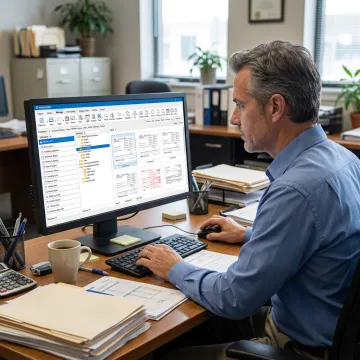
See how document-heavy teams simplify filing, retrieval, PDF work, and paperless office operations.
FileCenter gives accounting firms powerful document control without unnecessary complexity or cost.
One-time license pricing helps firms avoid recurring subscription costs and enterprise software overhead.
Scanning, OCR, PDF editing, search, routing, and filing tools work together in one platform.
Standard, Pro, and Pro Plus editions support solo accountants, small firms, and multi-user deployments.
A 30-day money-back guarantee lets teams evaluate real workflows before fully committing.
Software built for practical, affordable document control.
FileCenter focuses on giving accountants and document-heavy organizations professional-grade document management without premium enterprise pricing. Its software combines digital filing, scanning, OCR, PDF editing, workflow automation, and cloud-compatible access into practical editions for different business sizes. Built around familiar Windows filing concepts, FileCenter helps firms avoid disruptive proprietary databases while still gaining centralized organization, searchable records, and repeatable workflows. With Standard, Pro, and Pro Plus editions, the platform supports solo professionals, growing practices, and larger multi-user deployments. Its vision is straightforward: make powerful document management affordable, accessible, and useful for teams that need control over client records every day.
Document management software helps accountants store, scan, organize, search, and retrieve client records in a centralized digital filing system. FileCenter supports tax documents, financial statements, workpapers, receipts, correspondence, and engagement files with folder templates, OCR search, PDF tools, and automated naming so firms can reduce paper clutter and improve daily productivity.
Get clear answers about features, editions, and document workflows.

Risk-free evaluation for every software edition.
Affordable professional-grade document management tools.
Built for scalable multi-user deployments.
Tell us about your document volume, filing needs, and team size so you can choose the right FileCenter edition.
To help us assist you faster, please include the reason for your message so the relevant team can reach out as soon as possible.
To help us assist you faster, please include the reason for your message so the relevant team can reach out as soon as possible.