PDF Management
Create, edit, annotate, merge, split, and organize PDF documents directly in FileCenter, reducing the need for costly standalone PDF tools in daily document workflows.

Separate lengthy PDFs into individual, organized pages with FileCenter’s practical PDF management tools. Designed for professionals handling contracts, claims, tax files, records, and client documents online, FileCenter helps you split, edit, OCR, name, and file PDFs without juggling expensive third-party software. Keep every page accessible, searchable, and ready for the next step in your workflow.
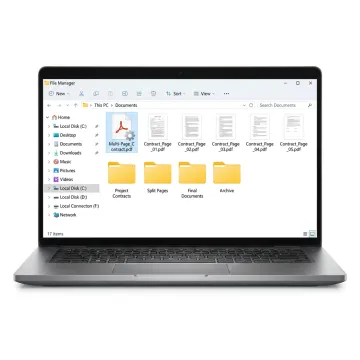
FileCenter combines PDF splitting with editing, conversion, OCR, routing, and organized document management for daily business workflows.
Create, edit, annotate, merge, split, and organize PDF documents directly in FileCenter, reducing the need for costly standalone PDF tools in daily document workflows.
Automate repetitive document tasks such as OCR processing, PDF conversion, routing, and filing so teams can reduce manual sorting and maintain cleaner digital records.
Convert Office files into PDFs and transform scanned PDFs into editable Word, Excel, or PowerPoint files to streamline preparation and reuse of business documents.
Turn scanned documents into searchable PDFs so users can quickly locate contracts, tax forms, invoices, claims, patient records, and compliance files by text.
Automatically name and route documents based on contents or barcodes, helping organizations separate, classify, and file records with better consistency and less manual work.
Connect document workflows with platforms like OneDrive, Google Drive, Dropbox, and SharePoint for secure access and management across distributed teams and locations.
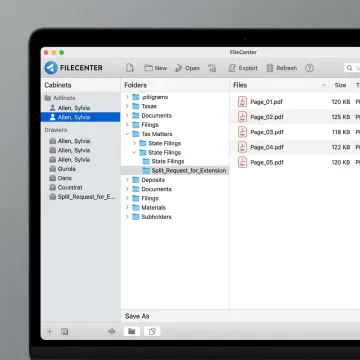
Open the PDF you want to divide inside FileCenter’s PDF management environment. From there, you can work with business records, client files, scanned documents, or multipage forms without moving between disconnected PDF utilities.
See how organized PDF workflows help document-heavy teams reduce filing friction and improve retrieval.
FileCenter combines practical PDF control with affordable, business-ready document management features.
FileCenter delivers PDF splitting, OCR, scanning, and filing at a fraction of enterprise costs.
Standard, Pro, and Pro Plus editions fit individuals, small teams, and larger organizations.
Built-in editing, annotation, merging, splitting, and organization reduce dependency on separate PDF software.
A 30-day money-back guarantee lets users evaluate FileCenter before fully committing.
Practical document software built for modern business workflows.
FileCenter is built for professionals and organizations that need document management to be powerful, affordable, and practical. Its software brings PDF editing, scanning, OCR, conversion, routing, and filing into one Windows-based system so teams can reduce paper, stop losing files, and work from standardized digital folders. The company positions itself as a low-cost leader, offering professional-grade capabilities at a fraction of premium enterprise tools. With Standard, Pro, and Pro Plus editions, FileCenter supports individuals, small businesses, and larger organizations that need scalable features without recurring subscription fees. Its vision is straightforward: make dependable document management accessible to document-heavy teams across the United States.
You can break up a PDF by opening it in a PDF management tool, choosing the split or extract pages option, selecting the page range or individual pages you want, and saving the results as separate files. FileCenter supports PDF editing and management, so users can split pages, rename files, apply OCR when needed, and file documents into organized folders.
Get guidance on the best PDF workflow for your documents.

Risk-free evaluation before committing to software.
Affordable document tools without subscription costs.
Advanced recognition for searchable document workflows.
Tell us what you need to do with your PDFs, and we’ll help you identify the right FileCenter edition and workflow features.
To help us assist you faster, please include the reason for your message so the relevant team can reach out as soon as possible.
To help us assist you faster, please include the reason for your message so the relevant team can reach out as soon as possible.