Document Scanning
Scan paper documents directly into organized digital folders, helping offices convert physical records into searchable files for easier storage, retrieval, and paperless workflows.

FileCenter helps Windows users turn paper documents into organized, searchable, editable digital files without enterprise-level complexity or recurring subscription costs. Compare scanning, OCR, PDF editing, routing, and document management features built for professionals, small businesses, and document-heavy teams that need reliable Windows-based filing workflows in 2026.
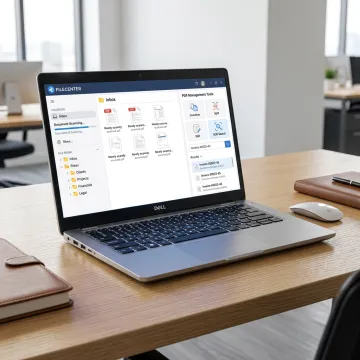
Explore Windows scanning, OCR, PDF, filing, routing, and retrieval tools built for document-heavy workflows.
Scan paper documents directly into organized digital folders, helping offices convert physical records into searchable files for easier storage, retrieval, and paperless workflows.
Convert scanned documents into searchable PDFs using OCR, making it easier to find contracts, tax forms, claims, patient records, invoices, and compliance files.
Automatically name documents based on contents, barcodes, or OCR zones, then route files into the right folders for consistent digital organization.
Create, edit, annotate, merge, split, and organize PDF files inside the same workflow without relying on separate expensive PDF applications.
Organize scanned and digital files with a Windows-based electronic filing system that avoids proprietary databases and keeps records accessible.
Locate documents quickly using filename, metadata, and full-text OCR search across large repositories, reducing time spent hunting for business records.
FileCenter combines scanning, OCR, PDF tools, and document management into a practical Windows-based system. Instead of juggling separate apps or expensive enterprise platforms, users can digitize paper, create searchable files, edit PDFs, standardize folders, and retrieve documents quickly. With scalable editions and one-time pricing, it supports solo professionals, growing teams, and larger document-intensive organizations.
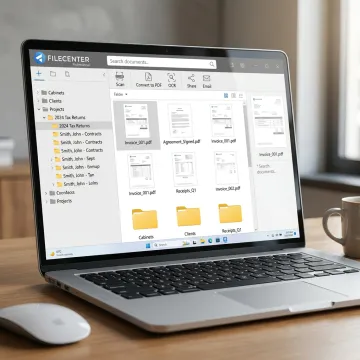
See how document-heavy teams simplify scanning, filing, OCR, and PDF workflows with FileCenter.
FileCenter delivers powerful scanning and document management without enterprise software complexity.
One-time license options help teams avoid ongoing subscription costs while keeping professional document tools.
Scanning, OCR, PDF editing, filing, routing, and search work together in one Windows workflow.
Standard, Pro, and Pro Plus editions let individuals and organizations choose the right feature level.
A 30-day money-back guarantee allows users to evaluate FileCenter before fully committing.
Practical document software built for Windows professionals.
FileCenter is positioned as a low-cost leader in document management software, offering professional-grade scanning, OCR, PDF editing, and digital filing tools at a fraction of typical enterprise software costs. Its focus is practical: help Windows users eliminate document disorganization, reduce manual sorting, and retrieve business records faster. With Standard, Pro, and Pro Plus editions, FileCenter supports individual professionals, small businesses, medium enterprises, and larger organizations. Its feature set is especially valuable for accounting, legal, insurance, healthcare, financial services, brokerage, real estate, government, and compliance-driven teams that need powerful document workflows without unnecessary complexity or subscription pressure.
The best scanner software depends on whether you only need basic scanning or a complete document management workflow. FileCenter is built for Windows users who need scanning, OCR, searchable PDFs, PDF editing, automatic naming, document routing, and organized digital filing in one system. It is especially useful for offices managing high volumes of client, case, financial, compliance, or administrative records.
Get guidance on scanning, OCR, PDF, and filing workflows.

Risk-free evaluation on all editions.
Affordable software without recurring subscriptions.
Advanced recognition tools for searchable files.
Tell us about your scanning, OCR, PDF, or filing workflow needs, and explore the FileCenter edition that fits your budget and document volume.
To help us assist you faster, please include the reason for your message so the relevant team can reach out as soon as possible.
To help us assist you faster, please include the reason for your message so the relevant team can reach out as soon as possible.