Secure Archiving
Centralize long-term business records in organized digital archives while keeping files searchable and accessible for audits, retention needs, compliance reviews, and daily operations.

FileCenter helps businesses replace scattered folders, paper records, and hard-to-search archives with organized digital filing. Scan documents, apply OCR, automate naming, manage PDFs, and retrieve records quickly from a centralized system. Built for document-heavy teams across accounting, legal, healthcare, insurance, financial services, and other compliance-focused industries, it delivers professional-grade archiving without enterprise-level cost.
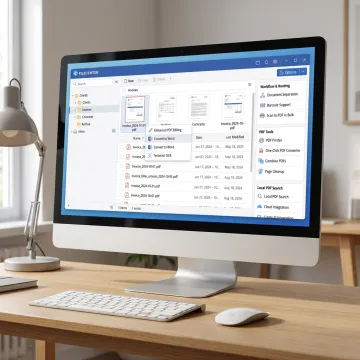
Archive, search, scan, and manage business documents with tools built for structured digital filing.
Centralize long-term business records in organized digital archives while keeping files searchable and accessible for audits, retention needs, compliance reviews, and daily operations.
Use a Windows-based electronic filing system to store, retrieve, and manage scanned or digital records without relying on complex proprietary databases.
Convert scanned documents into searchable PDFs so contracts, tax forms, claims, invoices, patient records, and compliance documents can be found quickly.
Locate archived files using filename, metadata, or full-text OCR search, helping teams retrieve information faster across large document repositories.
Automatically name documents from contents or barcodes and route them into the right folders, reducing manual sorting and filing errors.
Scan paper documents directly into organized digital folders, helping teams move toward paperless archiving with searchable, structured files.
FileCenter gives document-heavy businesses a practical way to archive files without expensive enterprise systems. From scanning paper records to searchable OCR, automated naming, PDF tools, and centralized retrieval, it brings structure to everyday document work. Teams can standardize filing by client, case, department, or project while keeping archived records easy to find, edit, share, and retain.
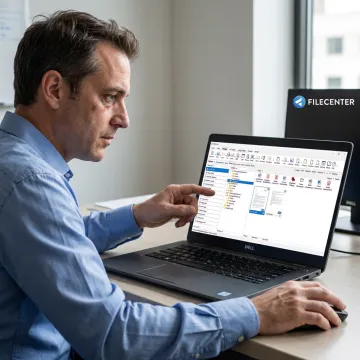
See how organized digital filing helps document-heavy teams reduce search time and manual filing.
FileCenter combines practical document tools with accessible pricing and workflow-focused features.
Professional-grade PDF, OCR, scanning, and archiving tools at a fraction of enterprise pricing.
Choose Standard, Pro, or Pro Plus to match individual, small business, or organizational needs.
Automated naming, routing, separation, and filing reduce repetitive document handling across busy teams.
Full-text OCR search helps users find archived records quickly across large digital repositories.
Affordable document management software for serious business archiving.
FileCenter is built for professionals and organizations that need powerful document management without enterprise software complexity or recurring subscription costs. Its approach centers on practical digital filing: scan paper records, convert them with OCR, organize documents in familiar folders, manage PDFs, and retrieve information quickly. The platform is especially useful for accounting, legal, healthcare, insurance, financial services, brokerage, real estate, government, and other document-heavy teams. With Standard, Pro, and Pro Plus editions, FileCenter gives businesses a scalable path from basic paperless filing to advanced OCR, cloud compatibility, automated routing, barcode workflows, and network administration. Its vision is simple: make professional-grade archiving affordable, accessible, and efficient.
The best way to archive documents is to digitize paper records, organize files in consistent folder structures, apply OCR so content becomes searchable, and use naming rules that make retrieval predictable. FileCenter supports this process with scanning, searchable PDFs, automated naming, standardized filing templates, and centralized storage, helping teams preserve records while keeping them accessible for audits, compliance, and daily work.
Get clear guidance on features, editions, and workflows.

Risk-free evaluation for every software edition.
Affordable ownership without recurring subscription fees.
Premium recognition tools for searchable archives.
Tell us about your document volume, workflow needs, and current filing challenges, and we’ll help you identify the FileCenter edition and features that fit best.
To help us assist you faster, please include the reason for your message so the relevant team can reach out as soon as possible.
To help us assist you faster, please include the reason for your message so the relevant team can reach out as soon as possible.