PDF Editing
Create, edit, annotate, merge, split, and organize PDF documents directly within FileCenter, reducing the need for separate PDF tools across legal, accounting, healthcare, finance, and office workflows.

FileCenter helps Windows users edit, convert, scan, OCR, annotate, and organize PDFs in one practical workspace. Built for document-heavy professionals, it reduces tool-switching, improves file retrieval, and supports paperless workflows without costly enterprise subscriptions. Explore how its PDF editing and document management features can simplify everyday work in 2026.
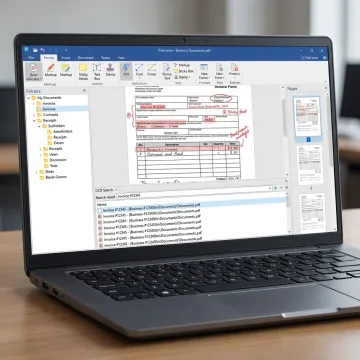
Explore PDF editing, OCR, conversion, scanning, search, and automated filing tools built for Windows productivity.
Create, edit, annotate, merge, split, and organize PDF documents directly within FileCenter, reducing the need for separate PDF tools across legal, accounting, healthcare, finance, and office workflows.
Convert Office documents into PDFs and transform scanned PDFs into editable Word, Excel, or PowerPoint files, helping teams update information without tedious retyping or manual rebuilding.
Turn scanned documents into searchable PDFs using optical character recognition, making contracts, invoices, records, forms, and claims easier to locate through full-text document search.
Scan paper files directly into organized digital folders, helping offices reduce physical storage, improve document access, and transition toward a more manageable paperless workflow.
Automatically name, separate, and route documents using content or barcodes, improving consistency for teams that process recurring client, case, claim, or compliance paperwork.
Work naturally with Microsoft Office and Windows Save/Open dialogs, so users can store, retrieve, and manage files without disrupting familiar desktop workflows.
FileCenter brings PDF editing, OCR, scanning, conversion, and digital filing together in one Windows-friendly workspace. Instead of juggling subscriptions or separate tools, your team can prepare contracts, tax files, healthcare records, invoices, and compliance documents faster while keeping everything searchable, organized, and easy to retrieve across everyday office workflows without sacrificing control or affordability.
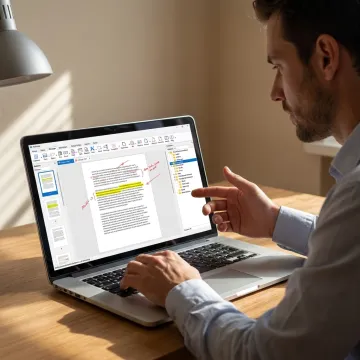
See how organized PDF workflows help busy teams reduce manual filing and find documents faster.
FileCenter combines practical PDF tools with document management features built for everyday business use.
FileCenter delivers professional PDF, OCR, and scanning tools at a lower overall cost.
Choose Standard, Pro, or Pro Plus based on workflow complexity, team size, and budget.
Edit PDFs, scan documents, convert files, and search content from one Windows workspace.
Evaluate any edition with a 30-day money-back guarantee before fully committing.
Practical document software for Windows-based professional teams.
FileCenter is built for professionals and organizations that need powerful document management without enterprise-level complexity or cost. Its platform focuses on practical Windows workflows: scanning paper records, editing PDFs, converting files, automating document names, and finding information quickly through OCR search. The software is positioned as a low-cost leader, offering professional-grade features at a fraction of the price of premium enterprise competitors. With Standard, Pro, and Pro Plus editions, FileCenter gives individual professionals, small businesses, and larger organizations a path to choose the right level of capability. Its vision is straightforward: make digital filing, PDF editing, and document retrieval affordable, efficient, and accessible for document-heavy teams.
FileCenter combines PDF editing with document management, scanning, OCR, file search, and workflow automation in one Windows-based system. Instead of using separate tools for editing, conversion, and filing, users can manage PDF documents from creation through archiving. Its one-time purchase model also appeals to teams that want predictable software costs without recurring subscriptions.
Get clear answers before choosing your FileCenter edition.

Risk-free evaluation for every edition.
No recurring subscriptions for Windows users.
Pro Plus includes ReadIris and Tesseract.
Tell us how your team handles PDFs, scanning, OCR, and filing today, and we’ll help you identify the right FileCenter edition for your workflow.
To help us assist you faster, please include the reason for your message so the relevant team can reach out as soon as possible.
To help us assist you faster, please include the reason for your message so the relevant team can reach out as soon as possible.