87% of knowledge workers say poor technology tools hurt their productivity, and leaders report losing 2-4 hours a day hunting for information or switching between systems, according to Adobe's 2023 workplace productivity study. Choosing the right document management software (DMS) isn't just about storage anymore — it directly affects efficiency, compliance, and your bottom line.
This guide compares five top-rated DMS platforms so you can pick the one that actually fits your workflow, budget, and industry.
TL;DR
- A DMS centralizes and secures documents, replacing scattered folders and filing cabinets
- Your ideal platform depends on budget model, OCR needs, and compliance requirements
- The top 5 platforms differ mainly in pricing, OCR accuracy, and compliance features
- Prioritize security, searchability, integrations, and total cost of ownership when choosing
Overview of Document Management Software for Modern Businesses
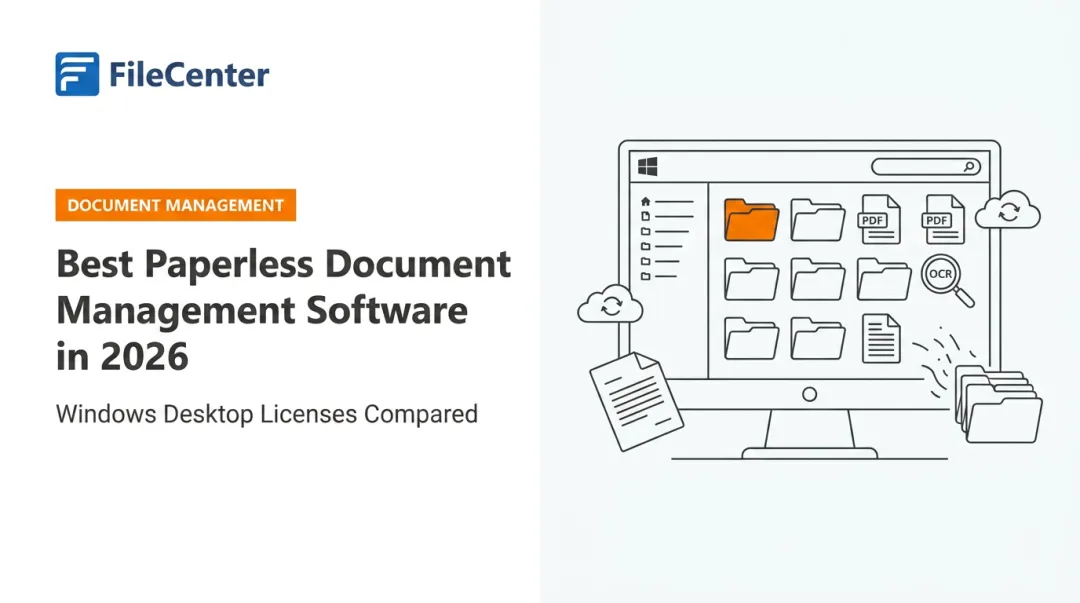
Document management software captures, tracks, and stores electronic documents, according to IBM's official definition of document management software. That sounds a lot like cloud storage, but it isn't the same thing.
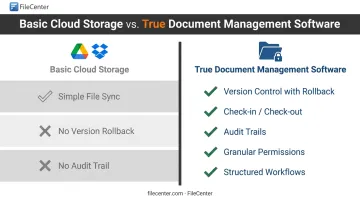
Basic file sync (think Google Drive or Dropbox) keeps copies of files updated across devices. A true DMS adds:
- Version control with rollback capability
- Check-in/check-out to prevent conflicting edits
- Audit trails tracking who touched what, and when
- Granular permissions at the folder, file, or field level
- Structured workflows for approvals and routing
This matters most in document-heavy sectors (legal, accounting, healthcare, real estate) where a missing audit trail or unrestricted file access can create real compliance headaches. These industries lean on DMS platforms precisely because manual filing invites errors that a structured system prevents.
With those distinctions in mind, the list below compares five leading DMS options across business sizes, from solo practitioners to enterprise IT departments, including both one-time-purchase and subscription pricing models.
Top Document Management Software Compared
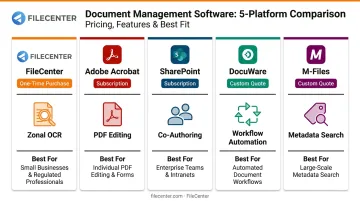
We evaluated each platform on four criteria: pricing model, core features (OCR, PDF editing, workflow automation), security, and best-fit use case. Here's how five leading options stack up.
FileCenter
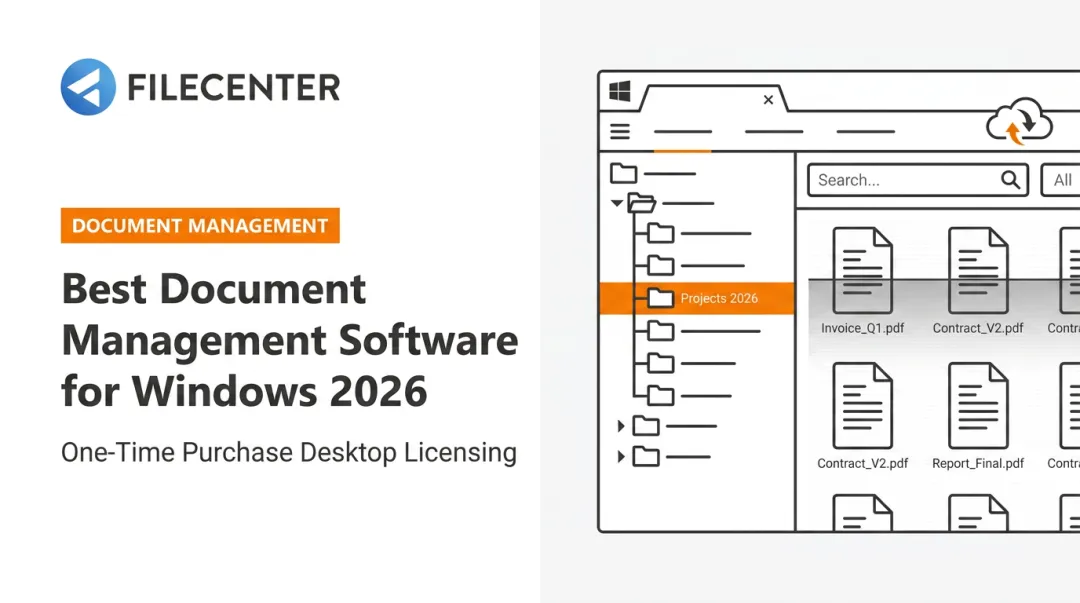
FileCenter is a one-time-purchase document management solution built for small businesses, legal, accounting, and real estate professionals who want PDF editing, scanning, and OCR without recurring fees.
What sets it apart is its Zonal OCR technology, which extracts text from specific regions of a scanned document and uses it to automatically name and route files. Pair that with a choice of ReadIris or Tesseract OCR engines, and you get accuracy that compares favorably to subscription-based enterprise tools, at a fraction of the ongoing cost.
Every edition ships with a 30-day money-back guarantee. One limitation: it's Windows-only, so Mac-based offices will need a virtual machine or alternative.
| Details | |
|---|---|
| Pricing | One-time purchase: Standard ($97), Pro ($197), Pro Plus ($297). No recurring fees. New users get 25% off their first license (up to $74 savings) |
| Key Features | OCR scanning (Tesseract in Pro, ReadIris + Zonal OCR in Pro Plus), automatic document routing/separation, PDF editing, network sharing (Pro Plus) |
| Best For | Small businesses, freelancers, and document-heavy professionals wanting no-subscription document control |
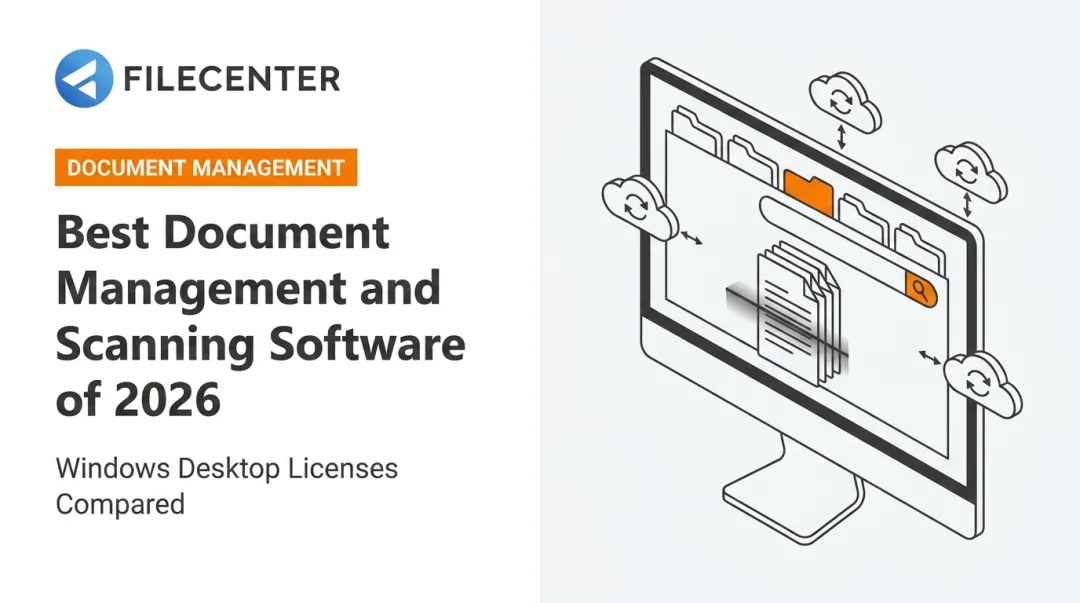
FileCenter also automates document separation: drop a stack of 400 scanned pages onto the scanner, and separator sheets (or fixed page intervals) split them into individually named, correctly routed files in a couple of clicks. For an accounting firm processing hundreds of client statements, that's the difference between an afternoon of manual sorting and a five-minute task.
Adobe Acrobat
Adobe Acrobat is the PDF-first tool most professionals already recognize, built for secure document creation, editing, and e-signature workflows inside a centralized cloud environment.
It stands out for deep PDF editing (redaction, page reorganization, scan-to-editable-PDF conversion) combined with role-based permissions and native e-signature tools.
| Details | |
|---|---|
| Pricing | Acrobat Standard from $14.99/month, Pro from $19.99/month (annual commitment, billed monthly). Free Reader plan available for basic viewing |
| Key Features | PDF editing, batch processing via Action Wizard, e-signature workflows, integrations with Microsoft 365, Teams, and Salesforce |
| Best For | Teams managing high volumes of PDF contracts and technical documents needing structured access control |
Acrobat's Action Wizard lets you apply a defined sequence of edits across an entire document batch at once, according to Adobe's help documentation. However, it compares PDF versions without offering true DMS-style version history with rollback, a gap if your workflow depends on tracking every draft.
Microsoft SharePoint
SharePoint is Microsoft's document management and collaboration platform, built into the Microsoft 365 ecosystem.
Its standout feature is real-time co-authoring directly inside Word, Excel, and PowerPoint, layered with granular site, list, and item-level permissions.
| Details | |
|---|---|
| Pricing | Standalone from $5.00/user/month (paid yearly), or bundled into Microsoft 365 Business Basic at $7.00/user/month |
| Key Features | Co-authoring, document check-in/check-out, Purview retention policies, managed metadata for classification |
| Best For | Mid-size to enterprise teams already standardized on Microsoft 365 |
Microsoft's own guidance notes that checking out a document actually blocks simultaneous co-authoring, so skip check-out if real-time collaboration is the priority. AI-powered search via Copilot in SharePoint also requires a separate license, not something bundled into base SharePoint.
DocuWare
DocuWare focuses on workflow automation for mid-sized to enterprise businesses in finance, healthcare, and manufacturing.
The drag-and-drop Workflow Manager builds multi-step approval chains with conditional logic, automatic escalation rules, and full monitoring, useful for anything from invoice approvals to employee onboarding.
| Details | |
|---|---|
| Pricing | Available upon request; no public list pricing. Free 30-day trial, no credit card required |
| Key Features | Intelligent Indexing (OCR-based), automatic version management, role-based access, audit reporting exportable as CSV |
| Best For | Organizations needing heavy workflow automation for multi-step approvals |
DocuWare's audit reports track document, cabinet, and system changes, but organization login/logout logging is disabled by default and needs manual activation.
M-Files
M-Files ditches traditional nested folders entirely in favor of metadata-driven, tag-based organization: you find documents by what they are, not where they're filed.
AI-driven auto-tagging (through its Aino feature) and duplicate-file detection cut down on manual filing and version confusion, particularly in larger organizations juggling thousands of similar documents.
| Details | |
|---|---|
| Pricing | Essentials tier starts at $65/month per seat; Enterprise tier is custom-quoted |
| Key Features | Metadata-based search, workflow automation, duplicate detection, Windows/.NET-based self-hosted deployment |
| Best For | Enterprises wanting to move away from folder hierarchies toward smart, tag-based retrieval |
Aino's AI metadata tagging requires a separate license beyond the base platform. Duplicate detection also relies on matching file hash values, meaning visually identical scans can sometimes slip through if their underlying data differs slightly.
How We Chose the Best Document Management Software
We tested each platform starting with core document control (storage, search, permissions) before comparing differentiators like OCR accuracy, automation depth, and integration options.
A common mistake businesses make: choosing a DMS based on brand recognition or the lowest sticker price, rather than matching the pricing model and feature depth to actual document volume and compliance needs. A five-person law office doesn't need the same setup as a 500-employee healthcare network.
We weighted these factors alongside feature checklists:
- Security certifications: encryption, two-factor authentication, and role-based access controls, per Capterra's document management buying criteria
- Ease of migration: how easily existing files and folder structures import into the new system
- Total cost of ownership over 3-5 years: including licensing, migration fees, training, and IT infrastructure, not just the sticker price
A one-time-purchase tool that costs $297 upfront can end up far cheaper over five years than a $15/month subscription that adds up to $900 in that same window. That gap widens further once you factor in per-seat scaling.
Conclusion
The best document management software is the one that matches your document volume, budget model, and compliance requirements. A subscription platform with deep Microsoft integrations might be perfect for one team and completely overkill for another.
Before committing, weigh the long-term costs. Subscription fees compound over years; one-time purchases don't. Test-drive your shortlist using free trials or money-back guarantees rather than relying on feature lists alone.
If you're a small business or professional services firm (legal, accounting, or similar) looking for professional-grade OCR, scanning, and PDF editing without recurring fees, FileCenter's 30-day money-back guarantee makes it easy to evaluate risk-free.
Frequently Asked Questions
What are the four types of file management?
They're grouped as local file management (on your device), cloud-based file management (synced storage), enterprise file management (organization-wide systems), and digital asset management (media-rich files like images and video).
What is document management software?
It's a system that captures, stores, tracks, and retrieves digital documents, replacing manual, paper-based filing processes. It typically adds version control, permissions, and audit trails on top of basic storage.
How is a DMS different from regular cloud storage like Google Drive or Dropbox?
A DMS adds structured workflows, granular permissions, audit trails, and automation that basic file sync tools don't offer. Cloud storage syncs files; a DMS manages their entire lifecycle.
Do I need OCR in my document management software?
Yes, if you're digitizing physical files. OCR converts scanned paper into searchable, editable text, which is essential for full-text search across your archive.
Is document management software secure?
Reputable platforms offer encryption, role-based access controls, and detailed activity logs. Check for compliance certifications relevant to your industry, such as HIPAA for healthcare or SOC 2 for general data handling.
Is it better to pay a subscription or a one-time fee for document management software?
Subscriptions suit teams wanting continuous cloud access and updates. One-time-purchase tools like FileCenter reduce long-term costs for businesses that want to avoid recurring fees entirely.