PDF Editing
Create, edit, annotate, merge, split, and organize PDF documents inside FileCenter, reducing the need for separate third-party tools while keeping scanned and digital files manageable.

Turn scanned PDFs into searchable, editable documents with FileCenter’s PDF editing, OCR, and document management tools. Built for document-heavy professionals across the U.S., FileCenter helps you annotate, convert, organize, and retrieve files without expensive enterprise software or recurring subscription fees.
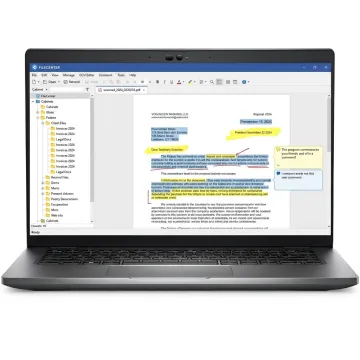
Edit, convert, scan, search, and organize scanned PDFs with affordable document management software.
Create, edit, annotate, merge, split, and organize PDF documents inside FileCenter, reducing the need for separate third-party tools while keeping scanned and digital files manageable.
Convert scanned documents into searchable PDFs so teams can locate contracts, invoices, tax forms, claims, patient records, and compliance documents by searching text content.
Transform Office files into PDFs or convert scanned PDFs into editable Word, Excel, and PowerPoint documents for easier revisions, reporting, and document preparation.
Scan paper documents directly into organized folders, helping professionals move toward a paperless office while keeping business records searchable, structured, and accessible.
Find files quickly using filenames, metadata, and full-text OCR search across large document repositories, reducing wasted time and improving daily productivity.
Automate OCR, conversion, routing, naming, and filing tasks to reduce manual sorting while keeping scanned PDFs and business documents moving through repeatable workflows.
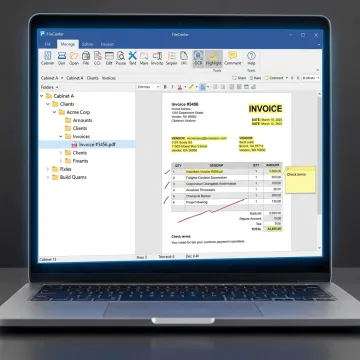
Start by bringing scanned PDFs, paper records, or office files into FileCenter. Integrated scanning workflows and ScanSnap compatibility help document-heavy U.S. teams capture files quickly while preparing them for OCR, editing, filing, and retrieval.
See how document-heavy teams simplify scanned PDF editing, filing, OCR, and retrieval with FileCenter.
FileCenter combines practical PDF editing power with affordable, business-friendly document management.
Get professional PDF, OCR, and scanning capabilities without premium enterprise software pricing.
Choose Standard, Pro, or Pro Plus based on your team size, workflow, and budget.
Convert scanned files into searchable, editable content using advanced OCR options in Pro Plus.
Try every edition with confidence thanks to FileCenter’s 30-day money-back guarantee.
Software built for organized, searchable document workflows.
FileCenter is built for professionals and organizations that need powerful document management software at a price they can afford. The platform focuses on practical PDF editing, OCR, scanning, conversion, and digital filing features for users across the U.S., from individual professionals to enterprise teams. Instead of forcing businesses into costly recurring subscriptions or oversized enterprise systems, FileCenter offers scalable editions that match different budgets and workflows. Its vision is straightforward: help document-heavy industries replace disorganized paper and scattered digital files with searchable, centralized, easy-to-manage records.
Yes. FileCenter uses OCR to recognize text inside scanned PDF pages, making them searchable and easier to work with. Depending on your edition, you can convert scanned PDFs into editable Word, Excel, or PowerPoint files, then manage the finished documents inside organized folders without relying on separate high-cost PDF tools.
Get practical guidance on editing, OCR, conversion, and filing workflows.

Risk-free evaluation on every edition
Premium recognition for scanned text accuracy
Professional features without subscription costs
Tell us how you manage scanned PDFs today, and we’ll help you identify the FileCenter edition that fits your editing, OCR, conversion, and filing needs.
To help us assist you faster, please include the reason for your message so the relevant team can reach out as soon as possible.
To help us assist you faster, please include the reason for your message so the relevant team can reach out as soon as possible.