PDF Conversion
Convert Office files into PDFs and transform scanned PDFs into editable Word, Excel, or PowerPoint documents for smoother record preparation, sharing, and long-term management.

Convert, organize, edit, and retrieve business documents in one Windows-based system built for document-heavy teams. FileCenter helps professionals turn paper and Office files into searchable PDFs, automate naming and routing, manage folders, and reduce reliance on expensive enterprise software—without forcing a subscription or major workflow change.
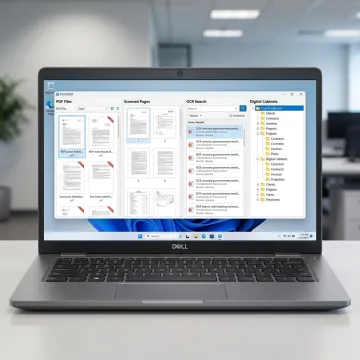
FileCenter combines conversion, OCR, PDF editing, filing, and workflow tools for Windows-based document management.
Convert Office files into PDFs and transform scanned PDFs into editable Word, Excel, or PowerPoint documents for smoother record preparation, sharing, and long-term management.
Turn scanned contracts, invoices, forms, claims, and records into searchable PDFs so users can quickly find text inside digitized business documents.
Create, edit, annotate, merge, split, and organize PDF documents directly inside your document workflow without purchasing separate PDF management software.
Work with Microsoft Office and Windows Save/Open dialogs so teams can save, retrieve, and manage documents without changing familiar desktop habits.
Automatically name, separate, and route documents using content or barcodes, helping organizations keep filing consistent across clients, cases, departments, and projects.
Automate repetitive tasks such as OCR processing, PDF conversion, routing, and filing to reduce manual effort and improve document-heavy business operations.
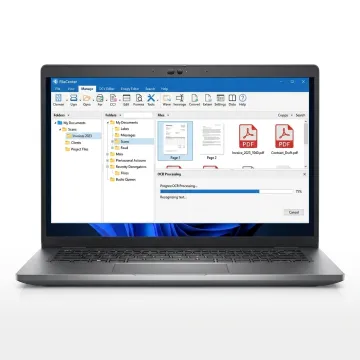
Start by scanning paper records or importing existing Office files, PDFs, and folders into FileCenter’s Windows-based filing system. This keeps documents in familiar locations while preparing them for conversion, OCR, editing, and structured management.
See how document-heavy teams reduce filing work and find records faster with FileCenter.
FileCenter delivers powerful document tools with practical pricing and familiar Windows workflows.
One-time pricing keeps document conversion affordable without ongoing subscription costs or enterprise overhead.
Standard, Pro, and Pro Plus editions let users match features to business size.
Integrated OCR, PDF editing, scanning, and routing reduce the need for disconnected tools.
A 30-day money-back guarantee gives teams time to evaluate FileCenter confidently.
Practical document software designed for busy Windows users.
FileCenter is built for professionals and organizations that need powerful document management without the cost and complexity of enterprise platforms. Its focus is practical: help Windows users scan paper records, convert files, organize folders, edit PDFs, and retrieve documents quickly using tools that fit existing desktop workflows. With editions for individuals, small businesses, medium enterprises, and larger deployments, FileCenter serves legal, accounting, insurance, healthcare, real estate, financial services, and other document-heavy industries. The product’s positioning as a low-cost leader reflects a clear goal: deliver professional-grade conversion, OCR, scanning, and PDF capabilities at a price businesses can afford.
To use Universal Document Converter for Windows through FileCenter, start by adding or scanning your documents into a Windows folder structure. From there, you can convert Office files to PDF, run OCR on scanned documents, edit or annotate PDFs, and use automated naming or routing features to file documents consistently for future search and retrieval.
Get practical guidance before choosing your document management setup.

Risk-free evaluation for every edition.
Affordable pricing without recurring subscriptions.
Advanced recognition for searchable documents.
Tell us how your documents are stored today, and we’ll help identify the FileCenter edition and features that fit your workflow.
To help us assist you faster, please include the reason for your message so the relevant team can reach out as soon as possible.
To help us assist you faster, please include the reason for your message so the relevant team can reach out as soon as possible.