OCR Recognition
Convert scanned documents into searchable PDFs so users can locate contracts, invoices, claims, records, and forms by searching the text inside each file.

Discover OCR models and document tools that turn scanned pages, image files, receipts, contracts, and forms into searchable, editable text. FileCenter combines OCR, scanning, PDF conversion, and full-text retrieval so document-heavy teams can organize files faster, reduce manual typing, and find critical information without paying enterprise software prices or changing familiar Windows workflows.
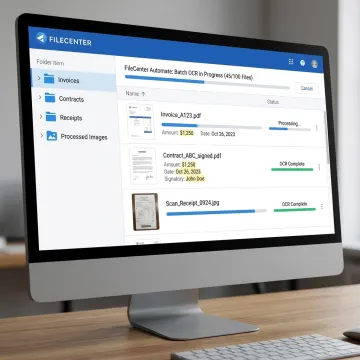
FileCenter combines OCR, scanning, PDF conversion, search, and automation for practical document text extraction.
Convert scanned documents into searchable PDFs so users can locate contracts, invoices, claims, records, and forms by searching the text inside each file.
Digitize paper records directly into organized folders, helping teams move toward a paperless office while preparing documents for OCR, search, and long-term management.
Transform Office files into PDFs and convert scanned PDFs into editable Word, Excel, or PowerPoint files for easier reuse and document preparation.
Search across filenames, metadata, and OCR-recognized full text to quickly retrieve records from large digital repositories without manually browsing folders.
Reduce repetitive tasks by automating OCR processing, PDF conversion, document routing, and filing across accounting, legal, insurance, healthcare, and financial workflows.
Automatically name documents based on content or barcodes and route them into the right folders for consistent organization and faster retrieval.
The best OCR setup does more than recognize characters—it connects scanning, searchable PDFs, editing, and retrieval in one workflow. FileCenter helps professionals transform image-based documents into usable business records, with Pro Plus support for ReadIris and Tesseract OCR engines. Teams can reduce retyping, standardize files, and search across digitized content without costly enterprise platforms.
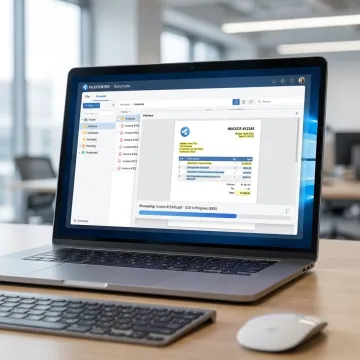
See how document-heavy teams streamline scanning, OCR, filing, and retrieval with FileCenter.
FileCenter brings practical OCR, filing, and PDF tools into one affordable document management system.
Professional OCR, scanning, and PDF tools at pricing far below enterprise competitors.
Standard, Pro, and Pro Plus editions let teams match features to budget.
ReadIris and Tesseract OCR support advanced text recognition in Pro Plus workflows.
Automated naming, routing, and full-text search reduce manual filing and retrieval delays.
Software built for practical OCR and document control.
FileCenter is designed for professionals and organizations that need powerful document management without enterprise-level complexity or recurring subscription costs. Its platform brings together scanning, OCR, PDF editing, automated naming, file routing, and full-text search in a familiar Windows-based filing environment. The software supports individual professionals, small businesses, medium enterprises, and larger organizations across legal, accounting, healthcare, insurance, real estate, government, and financial services. By offering Standard, Pro, and Pro Plus editions, FileCenter helps users choose the right level of OCR and document automation for their budget. Its focus is practical: reduce document disorganization, make scanned content searchable, and help teams find information faster.
Easy OCR refers to optical character recognition software that converts scanned pages or image-based documents into searchable, editable text without requiring technical setup. In FileCenter, OCR is built into document scanning, PDF conversion, and filing workflows, so users can scan paper records, create searchable PDFs, and retrieve files by words inside the document rather than relying only on filenames.
Get practical guidance on OCR, scanning, and document automation.

Supports premium text recognition accuracy.
Advanced OCR engine support in Pro Plus.
Risk-free evaluation across all editions.
Tell us about your document volume, scanning workflow, and OCR goals so FileCenter can help you identify the right edition and features.
To help us assist you faster, please include the reason for your message so the relevant team can reach out as soon as possible.
To help us assist you faster, please include the reason for your message so the relevant team can reach out as soon as possible.