Document Scanning
Digitize paper legal records directly into organized folders, helping firms move away from paper files and build searchable digital archives for cases, contracts, compliance, and client documentation.

FileCenter helps legal teams turn paper-heavy workflows into organized, searchable, secure digital filing systems. Scan case files, contracts, discovery materials, invoices, and compliance records into structured folders with OCR, PDF tools, automated naming, and fast retrieval—without the cost or complexity of enterprise document management platforms.
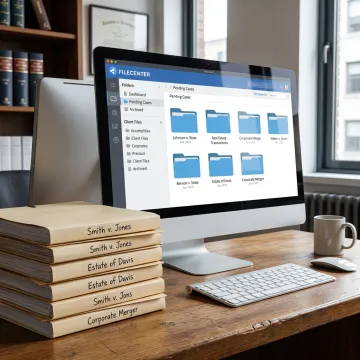
Secure scanning, OCR, PDF, filing, and retrieval tools for legal and document-heavy teams.
Digitize paper legal records directly into organized folders, helping firms move away from paper files and build searchable digital archives for cases, contracts, compliance, and client documentation.
Convert scanned documents into searchable PDFs so contracts, invoices, claims, tax forms, and case records can be found quickly using words contained inside the document.
Store long-term business and legal records in centralized digital folders while keeping files accessible for audits, compliance reviews, client service, and internal operational needs.
Automatically name, separate, and route documents based on contents or barcodes, reducing repetitive filing tasks and improving consistency across legal matters and departments.
Create, edit, annotate, merge, split, and organize PDFs without separate software, supporting document preparation, review, and case file management from one system.
Locate documents across large repositories using filenames, metadata, and full-text OCR search, helping busy teams retrieve the right record without manual file hunting.
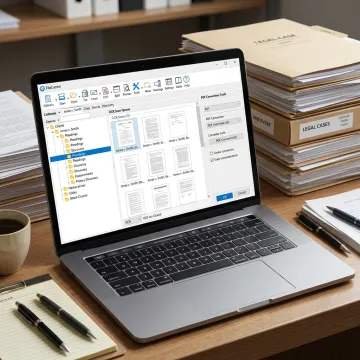
Start by scanning paper legal files, contracts, correspondence, and archived records directly into organized digital folders. FileCenter supports practical scanning workflows, including ScanSnap compatibility, so paper documents can enter a structured filing system quickly.
See how document-heavy teams simplify scanning, filing, search, PDF work, and long-term record access.
FileCenter combines secure digitization, practical automation, and professional document tools at accessible pricing.
One-time license pricing avoids recurring software subscriptions while keeping professional document tools accessible.
Advanced OCR, PDF editing, scanning, and routing features rival higher-cost enterprise platforms.
Standard, Pro, and Pro Plus editions scale from solo users to multi-user deployments.
Evaluate scanning, OCR, PDF, and filing workflows with a 30-day money-back guarantee.
Built for document-heavy teams that need practical control.
FileCenter is built for professionals and organizations that need powerful document management without enterprise-level complexity or recurring subscription costs. Its software helps legal services, accounting firms, healthcare providers, financial organizations, real estate teams, government users, and other document-heavy industries scan, organize, edit, search, and retrieve critical records. Positioned as a low-cost leader, FileCenter delivers professional-grade PDF editing, OCR, automated routing, centralized filing, and cloud-compatible workflows across three scalable editions. The goal is straightforward: give teams affordable tools that reduce document disorganization, speed up daily work, and make paperless operations more realistic for businesses of all sizes.
Legal document scanning converts paper records such as case files, contracts, correspondence, discovery materials, invoices, and compliance documents into digital files. With FileCenter, scanned documents can be organized into Windows-based folders, converted into searchable PDFs through OCR, and retrieved later using filenames, metadata, or full-text search.
Get practical guidance on scanning, OCR, and digital filing.

Advanced recognition for searchable legal records.
Organized storage for sensitive business files.
Risk-free evaluation for every edition.
Tell us about your scanning, OCR, PDF, or filing workflow needs, and we’ll help you identify the FileCenter edition that fits your document volume, team structure, and budget.
To help us assist you faster, please include the reason for your message so the relevant team can reach out as soon as possible.
To help us assist you faster, please include the reason for your message so the relevant team can reach out as soon as possible.