Document Management
Organize digital and scanned documents in a familiar electronic filing system, making home office records easier to store, categorize, retrieve, and manage without proprietary databases.

Turn your home office into an organized, paper-light workspace with FileCenter’s digital filing tools. Instead of relying on bulky cabinets, you can scan, store, search, edit, and retrieve documents from one intuitive electronic filing system. FileCenter helps professionals and small teams manage records securely, reduce clutter, and find important files fast.
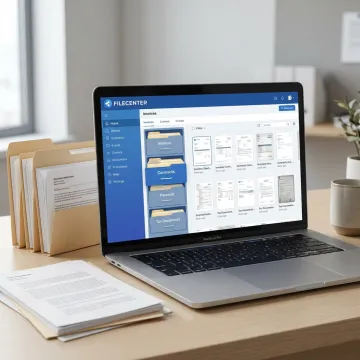
FileCenter helps replace paper cabinets with searchable, editable, and organized digital document management tools.
Organize digital and scanned documents in a familiar electronic filing system, making home office records easier to store, categorize, retrieve, and manage without proprietary databases.
Scan paper documents directly into organized folders so household records, client files, invoices, and important paperwork become searchable digital files instead of clutter.
Convert scanned paperwork into searchable PDFs, helping you locate words inside contracts, statements, tax documents, claims, and other home office records.
Find documents quickly using filename, metadata, and full-text search across large folders, reducing time spent opening files or hunting through paper stacks.
Create, edit, annotate, merge, split, and organize PDF files without separate software, giving your home office more control over everyday documents.
Connect with platforms like OneDrive, Google Drive, Dropbox, and SharePoint to access and manage important files across devices and work locations.
FileCenter gives home office users a practical alternative to physical filing cabinets by combining scanning, OCR, PDF editing, search, and structured folders in one affordable system. Whether you manage household records, client documents, tax files, or compliance paperwork, its familiar Windows-based approach helps you file consistently, retrieve quickly, and reduce daily paper clutter.
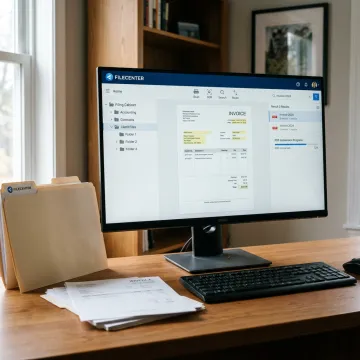
See how organized digital filing helps professionals reduce clutter and retrieve records faster.
FileCenter combines familiar organization with advanced tools at a practical price.
One-time pricing keeps document management affordable without ongoing subscription commitments.
OCR, scanning, PDF editing, and routing tools rival higher-cost enterprise platforms.
Windows-style filing makes it easy to organize home office records without complex training.
A 30-day money-back guarantee lets you test your workflow with confidence.
Practical software built for organized digital workspaces.
FileCenter is built for professionals, small businesses, and document-heavy organizations that need powerful document management without enterprise-level cost or complexity. Its approach combines the familiarity of Windows folders with practical tools for scanning, OCR, PDF editing, automated naming, and searchable storage. Positioned as a low-cost leader, FileCenter offers Standard, Pro, and Pro Plus editions so users can choose the right level of functionality for their budget. The goal is simple: help individuals and teams eliminate document disorganization, reduce manual filing, and create a more reliable way to manage records from a home office or shared workspace.
The best digital filing system is one that mirrors familiar file cabinets while adding search, scanning, OCR, PDF tools, and automation. FileCenter is designed around a Windows-style electronic filing cabinet, so documents are easy to organize into folders, scan directly into place, convert into searchable PDFs, and retrieve using filename, metadata, or full-text search.
Get guidance on the right edition for your workflow.

Professional-grade tools at affordable pricing.
Risk-free evaluation on every edition.
Advanced OCR for searchable digital records.
Reach out to learn which FileCenter edition best fits your document volume, scanning needs, and home office workflow.
To help us assist you faster, please include the reason for your message so the relevant team can reach out as soon as possible.
To help us assist you faster, please include the reason for your message so the relevant team can reach out as soon as possible.