Automated Filing
Automatically name legal documents using contents or barcodes, then route them into the right matter folders for consistent organization across cases, clients, and departments.

FileCenter helps law firms and legal professionals organize case files, contracts, discovery, correspondence, and scanned records in one searchable digital system. With OCR, PDF editing, automated filing, secure archiving, and legal-friendly tools like Bates stamp and barcode support, it delivers powerful document management without enterprise-level complexity or recurring subscription costs.
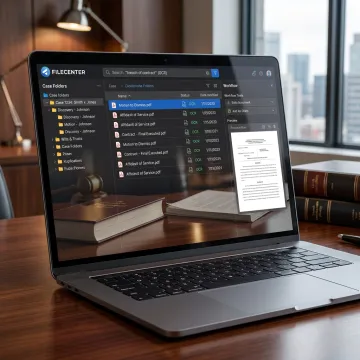
FileCenter supports every stage of legal document capture, organization, search, editing, automation, and archiving.
Automatically name legal documents using contents or barcodes, then route them into the right matter folders for consistent organization across cases, clients, and departments.
Centralize long-term storage for legal records while keeping documents searchable and accessible for audits, compliance reviews, matter histories, and operational needs.
Automate repetitive legal document tasks such as OCR processing, PDF conversion, routing, and filing to reduce manual work and improve staff productivity.
Create, edit, annotate, merge, split, and organize legal PDFs without relying on separate expensive tools for everyday case preparation and review.
Scan paper pleadings, contracts, correspondence, and records directly into organized folders, helping firms move toward searchable, paperless legal files.
Find documents quickly using filenames, metadata, and full-text OCR search across large repositories of case files, contracts, and scanned legal records.
Legal teams need fast access to accurate records, not more administrative drag. FileCenter brings scanning, OCR, PDF tools, automated filing, and secure archives into a practical Windows-based system. Whether your firm manages contracts, discovery, client correspondence, or compliance records, it helps standardize organization and improve retrieval while keeping software costs predictable.
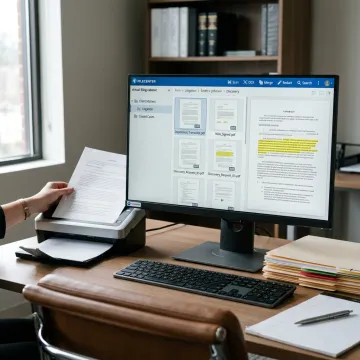
See how organized digital filing can help document-heavy legal teams work faster and reduce administrative friction.
FileCenter combines professional-grade document control with pricing and workflows that fit real legal teams.
One-time license pricing helps firms control software costs without recurring subscription commitments.
OCR, PDF editing, scanning, and filing tools reduce reliance on separate legal software utilities.
Bates stamp, barcode support, and folder templates help standardize case and compliance workflows.
Standard, Pro, and Pro Plus editions let firms choose features that match their size.
Practical document software designed for busy legal professionals.
FileCenter is built for professionals who need document management to be powerful, practical, and affordable. Its positioning is clear: deliver professional-grade scanning, OCR, PDF editing, automated filing, and retrieval tools at a price smaller firms can justify. For legal teams, that means fewer scattered folders, faster access to case materials, and less dependence on multiple disconnected applications. FileCenter offers three scalable editions so individual professionals, small firms, medium businesses, and enterprise teams can choose the level of functionality they need. With support for network sharing, cloud compatibility in Pro Plus, and legal workflow features like Bates stamp and barcode support, FileCenter focuses on making document-heavy work easier without unnecessary complexity.
The best software for managing legal documents should combine structured filing, fast full-text search, OCR, PDF editing, secure archiving, and workflow automation. FileCenter is a strong option for law firms because it supports scanned paper files, case folder organization, Bates stamp and barcode workflows, automated naming, and searchable repositories without requiring an expensive enterprise platform or recurring subscription.
Get clear guidance on features, editions, and legal workflows.

Risk-free evaluation for every FileCenter edition.
Affordable licensing without ongoing subscription fees.
Built for case files, Bates stamps, and compliance workflows.
Tell us how your firm handles legal files today, and we’ll help you identify the FileCenter edition and features that fit your workflow.
To help us assist you faster, please include the reason for your message so the relevant team can reach out as soon as possible.
To help us assist you faster, please include the reason for your message so the relevant team can reach out as soon as possible.