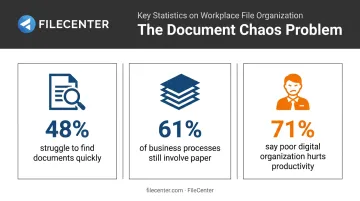
The cost is real. 48% of employees say they have difficulty finding documents quickly, and more than 10% burn over four hours weekly just searching for files, according to Adobe's workplace research. For legal, healthcare, accounting, and real estate firms, that lost time carries compliance risk on top of wasted labor.
This guide ranks the top document management and scanning tools of 2026, explains how each was evaluated, and helps you match a platform to your budget and workflow.
TL;DR
- DMS software organizes and secures digital files; OCR converts paper into searchable text.
- 2026 options span affordable one-time software to enterprise cloud subscriptions with automation.
- Selection factors that matter most: OCR accuracy, pricing transparency, integrations, and compliance/security features.
- FileCenter pairs professional-grade OCR and PDF editing with one-time pricing, not recurring fees.
Overview of Document Management and Scanning Software in 2026
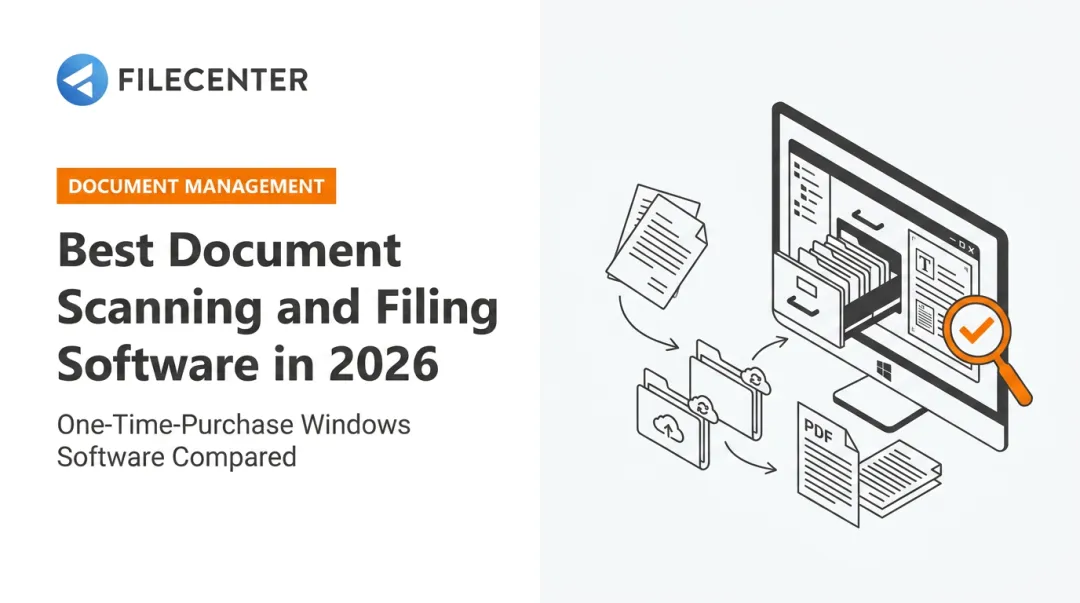
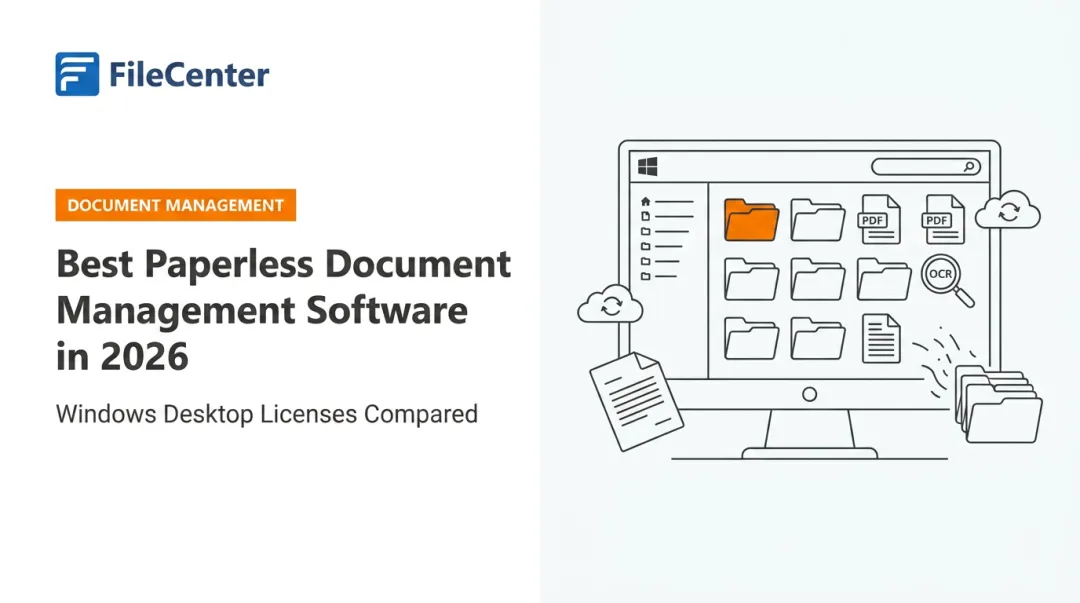
Document management and scanning software work as a pair. Scanning tools use OCR (optical character recognition) to capture paper and turn it into searchable, editable text. Document management software then organizes those files, along with PDFs, Word documents, and spreadsheets, into a structured digital archive you can actually find things in.
The paper problem hasn't disappeared, either. 61% of business processes still include paper, and 48% of organizations say their paper use is actually growing, per AIIM's 2025 Intelligent Document Processing survey.
Combine that with Adobe's finding that 71% of employees say poor digital organization interferes with effective work, and the need for reliable document management tools becomes obvious.
So what separates a good platform from a mediocre one? The next section ranks the top five solutions of 2026 based on:
- OCR accuracy and text recognition quality
- Pricing model transparency (subscription vs. one-time)
- Scalability from solo users to full departments
- Fit for regulated industries like legal, accounting, and healthcare
Top 5 Best Document Management and Scanning Software of 2026
Each platform below was evaluated on OCR accuracy, pricing transparency, PDF/editing depth, scalability, and industry trust signals like review scores and client base.
FileCenter
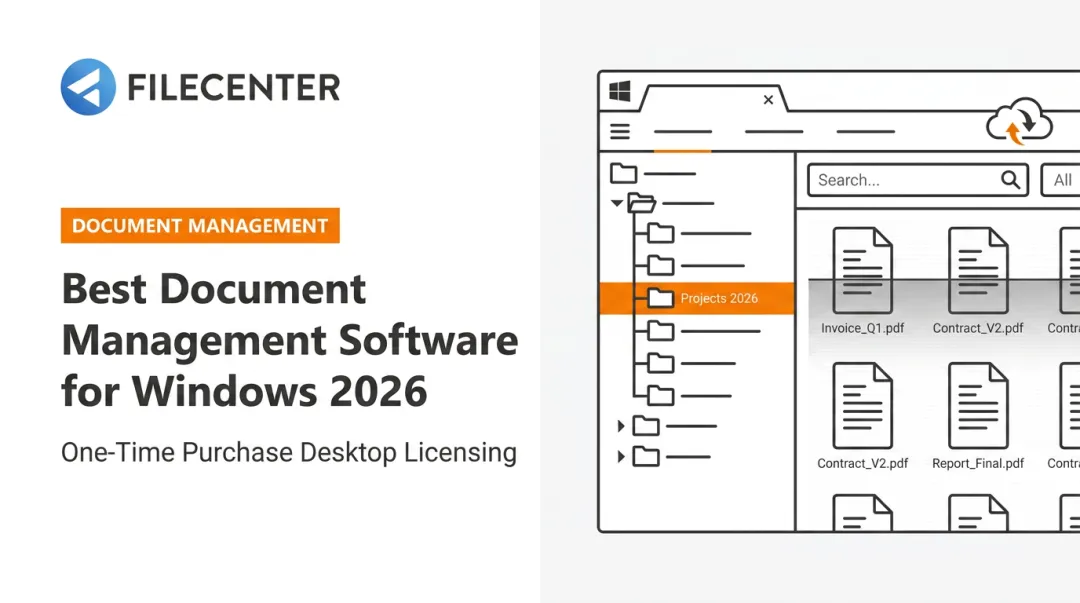
FileCenter combines document management, scanning, and OCR into one desktop-based platform. It ships in three scalable editions, Standard, Pro, and Pro Plus, built to fit anyone from solo professionals to full enterprise teams.
What sets it apart:
- Dual OCR engines (ReadIris and Tesseract) available in Pro Plus for high-accuracy text recognition
- **Zonal OCR with automatic file naming**, so scanned documents get named and filed without manual entry
- Bates stamping and barcode support for legal production, regulatory submissions, and audit trails
- 30-day money-back guarantee on every edition, plus a 15-day fully operational free trial
| Category | Details |
|---|---|
| Pricing | One-time purchase per edition: Standard $97, Pro $197, Pro Plus $297. First-license discount of 25% (up to $74 off) for new users. No recurring subscription fees. |
| Key Features | Zonal/advanced OCR, automatic document routing and naming, built-in PDF editor, network sharing, cloud compatibility (Pro Plus), ScanSnap scanner integration |
| Best For | Small to medium businesses, law firms, accounting firms, and healthcare providers wanting professional-grade scanning and OCR without ongoing subscription costs |
Bates stamping and barcode-based document routing are reserved for the Pro and Pro Plus tiers, so firms handling litigation production or compliance filings will want to budget for one of those editions rather than Standard.
Adobe Acrobat
Adobe Acrobat remains the most widely used PDF platform, paired with the free Adobe Scan mobile app for capturing paper documents on the go.
Standout capabilities:
- AI-powered scan cleanup that sharpens text and corrects glare, shadows, and perspective issues automatically
- Deep integration with the broader Adobe ecosystem (Creative Cloud, Sign, Express)
- Built-in PDF comparison for tracking changes between two document versions
| Category | Details |
|---|---|
| Pricing | Adobe Scan is free. Acrobat Standard runs $14.99/month (individual), Acrobat Pro $19.99/month, and Acrobat Pro for Teams $23.99/license/month, all billed annually. |
| Key Features | Mobile OCR scanning, advanced PDF editing, e-signature collection, 100GB cloud storage on paid plans |
| Best For | Individuals and teams that need advanced PDF editing alongside mobile scanning |
One key caveat: Acrobat Pro can compare two selected PDF versions, but it doesn't offer the repository-style version history or rollback capabilities found in dedicated DMS platforms. Treat it as a PDF powerhouse first, a document management system second.
DocuWare
DocuWare is a cloud-based enterprise content management platform used across finance, HR, and accounts-payable departments at organizations large and small. Despite its enterprise reputation, DocuWare says its customer base ranges from businesses with roughly a dozen employees to large multinationals.
Differentiators include:
- Intelligent Document Processing (IDP) powered by AI/ML for automated classification and data extraction
- Strong compliance and audit-trail capabilities suited to regulated industries, available via multitenant SaaS cloud, on-premises, or hybrid deployment on the same code base
| Category | Details |
|---|---|
| Pricing | Custom quote after a scheduled demo. Cloud and on-premises deployment options available. |
| Key Features | AI-driven indexing, automated invoice/workflow routing, integrations with SAP, Outlook, and Teams |
| Best For | Mid-size to large enterprises automating document-heavy departments like finance and HR |
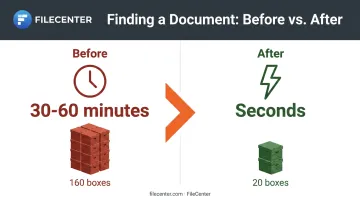
The results can be dramatic. In DocuWare's own case study, AquaPhoenix Scientific cut document search times from 30-60 minutes down to seconds and reduced annual paper purging from 160 boxes to just 20.
M-Files
M-Files takes a metadata-driven approach, organizing files by what they are, not where they're stored. It layers on top of your existing systems instead of requiring a full data migration.
Key strengths:
- Metadata and knowledge-graph organization that links documents to clients, projects, and processes
- File-content duplicate detection that alerts users when a document already exists in the vault
- Native integrations with Microsoft 365 (Word, Excel, Teams, Outlook) and Salesforce
| Category | Details |
|---|---|
| Pricing | Custom quote based on selected features and user count. Free 30-day trial, no credit card or installation required. |
| Key Features | OCR search, metadata indexing, duplicate-file alerts, version control |
| Best For | Organizations wanting flexible, AI-assisted retrieval without overhauling existing infrastructure |
Because M-Files bundles features rather than forcing an all-or-nothing package, smaller teams can start lean and add capabilities like automated workflows later.
Laserfiche
Laserfiche pairs intelligent document management with business process automation (BPM), and it's a familiar name in accounting, government, and healthcare circles.
What it brings to the table:
- A strong workflow and e-forms engine for approvals, routing, and reminders
- Records Lifecycle Management with automated retention schedules and legal holds
- E-signature completion through an integrated DocuSign connection
| Category | Details |
|---|---|
| Pricing | Tiered plans based on user count: Professional at $73/user/month (5-user minimum), Business at $93/user/month (25-user minimum), Business+ at $42/user/month (500-user minimum), all billed annually. |
| Key Features | Workflow automation, e-signature via DocuSign, document archiving and retention, analytics |
| Best For | Compliance-driven organizations such as legal, government, and healthcare needing built-in BPM |
Laserfiche also earns the strongest independent review scores in this lineup, with a 4.7/5 on G2 across more than 1,200 reviews, reflecting consistent satisfaction among compliance-heavy users.
How We Chose the Best Document Management and Scanning Software
Ranking these platforms meant testing more than marketing claims. We looked at OCR accuracy in practice, how long setup actually took, whether pricing was published or hidden behind a "request a demo" form, and how well each tool scaled from a single user to a full department.
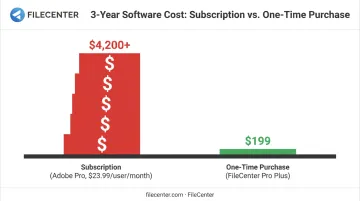
The most common buyer mistake? Choosing the cheapest subscription without checking OCR accuracy or long-term costs. A $15/month plan sounds harmless until you multiply it by 20 users over three years, add per-feature upgrade fees, and factor in the hours lost to inaccurate text recognition.
We weighted four factors most heavily:
- Security and compliance certifications: critical for legal, healthcare, and financial services
- Integration ecosystem: how well the platform connects to Microsoft 365, Salesforce, SAP, and existing tools
- Customer support quality: responsiveness and documentation depth
- Third-party review scores: G2 and TrustRadius ratings from verified users
Pricing structure matters as much as any single feature on this list, especially once you factor in years of ownership. One-time-purchase models, like FileCenter's, can meaningfully lower long-term software spend compared to recurring per-user subscription pricing. For a five-person team, a $23.99/month per-user Adobe Pro plan adds up to over $1,400 annually. A comparable FileCenter Pro Plus deployment is a single upfront cost with no renewal invoice.
Conclusion
Choosing the best document management and scanning software in 2026 comes down to matching OCR accuracy, workflow automation, and pricing model to your actual document volume, not brand recognition alone.
Before committing to a platform, evaluate:
- Scales smoothly as your team or document volume grows
- Integrates with the tools you already use
- Costs less over 2-3 years once you weigh subscription fees against a one-time purchase
FileCenter's 30-day money-back guarantee lets businesses trial professional-grade OCR, PDF editing, and document management at a fraction of typical subscription costs, with no recurring fees eating into next year's budget.
Frequently Asked Questions
What software is used to scan and organize documents?
Both dedicated scanning apps, like Adobe Scan, and full document management platforms, like FileCenter or DocuWare, capture paper via OCR and file it into searchable digital folders. The right choice depends on whether you need simple capture or full-scale organization.
What is the best software for document management?
The right pick depends on your business size and workflow needs. FileCenter suits businesses wanting affordable, one-time-purchase OCR and PDF tools. DocuWare or Laserfiche fit large-scale enterprises needing workflow automation and compliance features.
Does Office 365 have a document management system?
SharePoint and OneDrive offer file storage, version history, and a built-in OCR service for extracting text from images and scans. However, they lack the zonal capture and automated document routing found in dedicated DMS software.
What's the difference between document management software and document scanning software?
Scanning software captures and digitizes paper through OCR. Document management software organizes, stores, and retrieves all your digital files, scanned or not, long-term.
Can document management software convert scanned paper into searchable, editable text?
Yes. OCR-enabled DMS platforms like FileCenter convert scans into searchable, editable text, including zonal OCR for automatic file naming based on document content.
Is there a one-time purchase document management software, or do I have to pay a subscription?
Is there a one-time purchase document management software option, or do I have to pay a subscription?
Most modern DMS tools run on subscriptions. FileCenter is an exception, offering one-time licensing across its Standard, Pro, and Pro Plus editions with no recurring fees.