OCR Recognition
Convert scanned documents into searchable PDFs so teams can quickly find contracts, invoices, tax forms, insurance claims, patient records, compliance files, and other critical business information.

FileCenter helps teams turn scanned paper, PDFs, and image-based records into searchable, editable files without enterprise software costs. Built for document-heavy work in accounting, legal, insurance, healthcare, financial services, and brokerage environments, it combines OCR, scanning, PDF tools, automated naming, and organized digital filing so critical information is easier to find, share, retain, and secure.
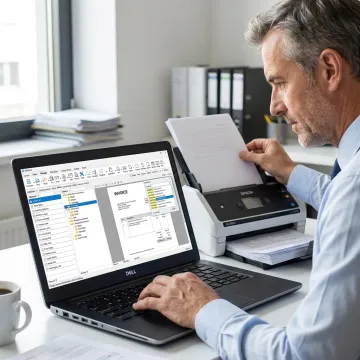
Explore OCR, scanning, conversion, search, and automation tools built for faster digital document management workflows.
Convert scanned documents into searchable PDFs so teams can quickly find contracts, invoices, tax forms, insurance claims, patient records, compliance files, and other critical business information.
Scan paper documents directly into organized digital folders, helping offices reduce paper clutter and create searchable records for accounting, legal, healthcare, insurance, and financial workflows.
Convert Office documents into PDFs and transform scanned PDFs into editable Word, Excel, or PowerPoint files for faster document preparation, reuse, and record management.
Search large repositories using filenames, metadata, and full-text OCR results, making it easier to retrieve important records without manually opening folders or reviewing every file.
Automatically name documents from content or barcodes and route them into the right folders, creating consistent organization across clients, cases, departments, and recurring documentation.
Automate repetitive tasks such as OCR processing, PDF conversion, document filing, and routing to reduce manual effort and improve productivity across document-intensive teams.
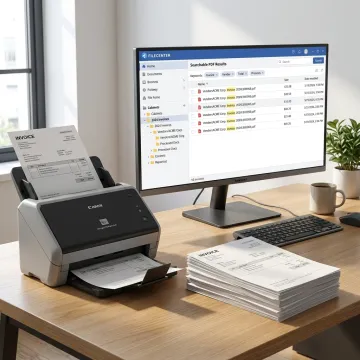
Start by scanning paper records directly into FileCenter or importing existing scanned PDFs and image-based files. Teams can bring invoices, contracts, tax forms, claims, patient records, and compliance files into one organized digital workspace.
See how document-heavy teams simplify filing, search, and scanned record access with FileCenter every day.
FileCenter combines OCR, PDF tools, automation, and affordability for practical document management.
One-time purchase pricing keeps professional OCR affordable without recurring software subscription fees.
ReadIris and Tesseract options support accurate text recognition in demanding document workflows.
Automatic naming, routing, and separation reduce manual sorting across high-volume scanned records daily.
Three editions let individuals, small teams, and enterprises choose features that fit.
Software built around practical daily document management needs.
FileCenter focuses on making powerful document management software accessible to organizations that handle large volumes of paper and digital records. Its product strategy is straightforward: deliver professional OCR, PDF editing, scanning, and automated filing capabilities at a price businesses can afford, without forcing recurring subscription fees. The platform supports individual professionals, small businesses, mid-sized firms, and larger organizations in document-heavy fields such as accounting, legal, healthcare, insurance, real estate, government, and financial services. With Standard, Pro, and Pro Plus editions, FileCenter helps teams choose the right level of OCR accuracy, automation, network administration, and cloud compatibility while keeping everyday filing simple.
Yes. OCR software analyzes the text contained in a scanned image or scanned PDF and converts it into searchable digital text. With FileCenter, scanned paper documents can become searchable PDFs, and in supported workflows they can also be converted into editable formats such as Word, Excel, or PowerPoint for easier reuse and organization.
Get practical guidance before choosing your OCR workflow.

Risk-free evaluation for every software edition.
Premium recognition options for scanned documents.
Professional features without enterprise software pricing.
Tell us how your organization scans, stores, and searches documents, and we’ll help you identify the right FileCenter edition for your workflow.
To help us assist you faster, please include the reason for your message so the relevant team can reach out as soon as possible.
To help us assist you faster, please include the reason for your message so the relevant team can reach out as soon as possible.