Invoice OCR
Convert scanned invoices, statements, tax forms, and payment records into searchable PDFs so teams can quickly locate vendor names, dates, totals, and supporting billing documents.

FileCenter helps businesses replace slow invoice entry with searchable, organized, OCR-ready workflows. Scan paper invoices, convert PDFs, extract readable text, route files, and find billing records fast without expensive enterprise software. With affordable one-time pricing, scalable editions, and automation tools for accounting, legal, healthcare, and finance teams, it brings order to high-volume invoice processing.
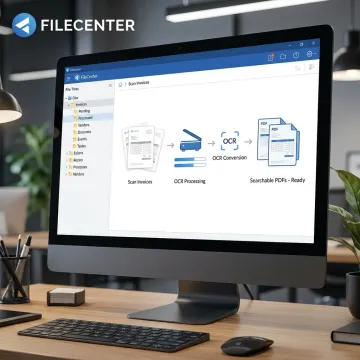
Practical OCR, scanning, filing, and routing tools that simplify invoice processing from capture to retrieval.
Convert scanned invoices, statements, tax forms, and payment records into searchable PDFs so teams can quickly locate vendor names, dates, totals, and supporting billing documents.
Automate repetitive invoice handling tasks such as OCR processing, PDF conversion, document routing, and digital filing to reduce manual work across accounting and finance workflows.
Name and route invoice documents automatically based on contents or barcodes, helping maintain consistent folder structures and reducing misfiled billing records.
Search invoice repositories using filenames, metadata, and full-text OCR results to retrieve records quickly for audits, approvals, payments, and compliance reviews.
Digitize paper invoices directly into organized folders, helping teams replace physical filing cabinets with searchable digital records and more efficient document access.
Convert Office files into PDFs and transform scanned invoice PDFs into editable Word, Excel, or PowerPoint files for easier preparation and record management.
FileCenter brings invoice OCR, scanning, PDF conversion, and automated filing into one practical platform for document-heavy teams. Instead of paying enterprise prices or juggling separate tools, businesses can digitize paper invoices, create searchable PDFs, standardize folders, and retrieve billing records quickly. Scalable editions make it easy to start affordably and add advanced OCR automation when needed.
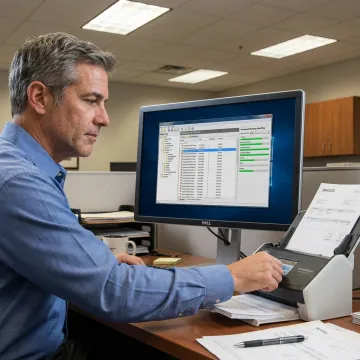
See how document-heavy teams can simplify invoice capture, filing, search, and retrieval with FileCenter.
FileCenter combines practical automation, strong OCR tools, and affordable pricing for invoice-heavy teams.
One-time purchase pricing helps control software costs without sacrificing essential OCR functionality.
OCR, scanning, PDF editing, filing, and search tools work together in one platform.
Pro Plus includes ReadIris, Tesseract, zonal OCR, automatic routing, and separation features.
Three scalable editions support individuals, small businesses, teams, and enterprise deployments.
Software designed for organized, searchable business documentation.
FileCenter is built for professionals and organizations that need practical document management without enterprise complexity or high recurring costs. Its focus is simple: help teams scan, organize, search, edit, and retrieve business records from one centralized digital filing system. For invoice-heavy departments, that means fewer misplaced PDFs, faster access to billing history, and more consistent filing across users. FileCenter supports individual professionals, small businesses, medium enterprises, and large organizations with scalable editions, network sharing, cloud compatibility in Pro Plus, and advanced OCR features. Its vision is to make powerful document management software affordable, accessible, and useful for everyday accounting, legal, healthcare, financial, and compliance workflows.
OCR in an invoice means Optical Character Recognition technology is used to read text from a scanned invoice image or PDF. Instead of storing the invoice as a flat picture, OCR converts visible words and numbers into searchable digital text. In FileCenter, this helps teams locate vendor names, invoice numbers, dates, totals, and related billing records faster.
Get guidance on the best FileCenter edition for your workflow.

Risk-free evaluation for every edition.
Affordable software without recurring subscriptions.
Premium OCR accuracy in Pro Plus.
Tell us about your invoice volume, scanning workflow, and filing needs so you can choose the right FileCenter edition.
To help us assist you faster, please include the reason for your message so the relevant team can reach out as soon as possible.
To help us assist you faster, please include the reason for your message so the relevant team can reach out as soon as possible.