Page Removal
Remove blank, duplicate, outdated, or unnecessary pages from PDF documents so files stay clean, accurate, and ready for filing, sharing, archiving, or compliance-focused workflows.

Clean up PDFs quickly with FileCenter’s PDF editing tools built for document-heavy professionals. Delete unnecessary pages, remove duplicates, reorganize files, and prepare polished documents without expensive third-party software. Whether you manage legal packets, tax files, insurance forms, healthcare records, or business reports, FileCenter helps you keep every PDF accurate, searchable, and ready to share.
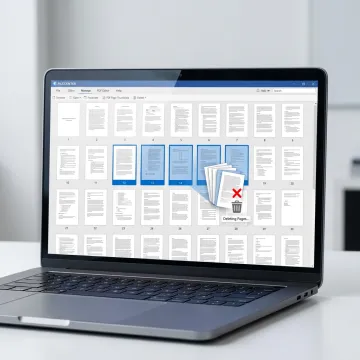
Edit, remove, convert, search, and organize PDF pages inside one practical document management workflow.
Remove blank, duplicate, outdated, or unnecessary pages from PDF documents so files stay clean, accurate, and ready for filing, sharing, archiving, or compliance-focused workflows.
Reorder pages, split large PDFs, merge related documents, and structure files into logical packets for legal, accounting, insurance, healthcare, and administrative document workflows.
Convert Office files into PDFs and transform scanned PDFs into editable Word, Excel, or PowerPoint documents to streamline document preparation and reuse.
Turn scanned PDFs into searchable digital files using OCR, helping users locate specific contracts, invoices, tax forms, claims, records, or compliance documents faster.
Annotate, edit, merge, split, and manage PDF documents directly within FileCenter, reducing the need for separate premium PDF applications.
Use automated naming, routing, separation, and filing features to keep edited PDFs organized consistently across clients, departments, cases, projects, or document-heavy teams.
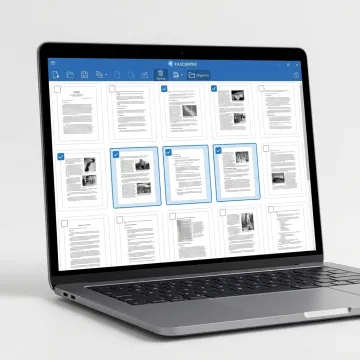
Start by opening your PDF in FileCenter’s PDF editing workspace. The interface is built for business users who need to review pages, identify blank or outdated content, and prepare documents for accurate filing.
See how organized PDF workflows help document-heavy teams reduce clutter and retrieve files faster.
FileCenter combines practical PDF editing with broader document management tools.
One-time purchase pricing helps avoid recurring PDF software subscription costs.
PDF editing, OCR, scanning, routing, and search work together in one system.
Built for legal, accounting, healthcare, insurance, finance, and other document-heavy teams.
Every edition includes a 30-day money-back guarantee for risk-free evaluation.
Built for professionals who manage documents every day.
FileCenter focuses on making professional-grade document management accessible to organizations that need powerful tools without enterprise-level costs. Its platform supports PDF editing, OCR, scanning, automated routing, file search, folder templates, and centralized document access for individuals, small businesses, medium enterprises, and large organizations. FileCenter is especially useful for document-heavy industries such as legal services, accounting, financial services, healthcare, insurance, real estate, government, and compliance-driven teams. With scalable Standard, Pro, and Pro Plus editions, the software helps users move from scattered files and manual sorting to a more consistent digital filing system. The result is a practical, affordable way to edit PDFs, organize records, and find documents faster.
With FileCenter, you can add, delete, reorder, split, and merge PDF pages using built-in PDF editing tools. Open the PDF, choose the page management option, select the pages you want to remove or reorganize, then save the updated file. This keeps document cleanup inside your document management workflow without needing separate premium PDF software.
Get guidance on the best edition for your workflow.

Risk-free evaluation for every edition.
Affordable document tools without subscription fees.
Advanced PDF, OCR, and scanning capabilities.
Tell us what you need to manage, edit, or organize, and we’ll help you find the right FileCenter edition.
To help us assist you faster, please include the reason for your message so the relevant team can reach out as soon as possible.
To help us assist you faster, please include the reason for your message so the relevant team can reach out as soon as possible.