Document Management
Organize digital and scanned legal records using a Windows-based electronic filing system that stores client matters, contracts, case files, and business documents in familiar, structured folders.

Bring order to case files, contracts, discovery documents, client records, and compliance paperwork with FileCenter. Our Legal Document Organizers & File Holders solution helps legal and document-heavy teams scan, store, search, edit, route, and archive files from one centralized digital filing system—without the complexity or cost of enterprise document management software.
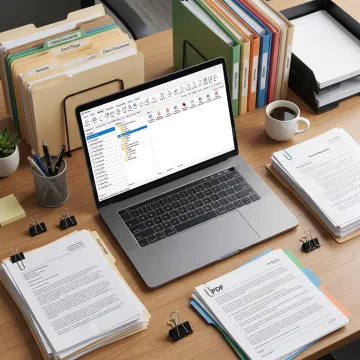
FileCenter helps teams scan, organize, search, edit, route, and archive documents from one centralized system.
Organize digital and scanned legal records using a Windows-based electronic filing system that stores client matters, contracts, case files, and business documents in familiar, structured folders.
Digitize paper files directly into organized folders, helping firms convert physical records, case paperwork, and administrative documents into easier-to-manage electronic files.
Convert scanned documents into searchable PDFs so users can locate contracts, pleadings, claims, invoices, and compliance records by searching the text inside each file.
Create reusable folder structures for clients, cases, departments, or projects, ensuring consistent filing standards across recurring legal, financial, insurance, and healthcare documentation.
Find documents using filename, metadata, and full-text OCR search, reducing time spent hunting through large repositories of legal and business records.
Create, edit, annotate, merge, split, and organize PDF files without separate software, supporting efficient document preparation and review for legal workflows.
FileCenter gives legal and document-heavy teams a practical way to replace scattered paper folders and disorganized digital files with a searchable, centralized system. From scanning and OCR to PDF editing, secure archiving, and automated routing, it delivers professional-grade document control at a fraction of enterprise software costs, with scalable editions for individuals, firms, and larger organizations.
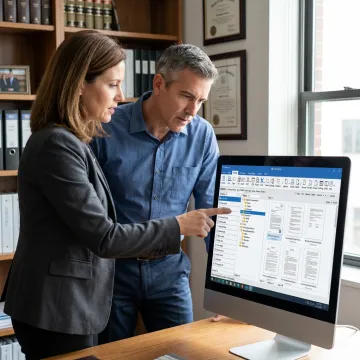
Built for professionals who manage high volumes of legal, financial, healthcare, and compliance documents.
FileCenter combines practical document control with professional-grade features and affordable ownership.
Professional-grade document tools at pricing far below premium enterprise competitors.
Standard, Pro, and Pro Plus editions match individual, small business, and enterprise needs.
OCR, PDF editing, scanning, routing, and search work together in one system.
Every edition includes a 30-day money-back guarantee for confident evaluation.
Software built for organized, searchable, affordable document control.
FileCenter is built for professionals and organizations that need powerful document management without the cost or complexity of enterprise systems. Its platform brings together digital filing, scanning, OCR, PDF editing, automated naming, routing, and search in a practical Windows-based environment. Designed for individual professionals, small businesses, medium enterprises, and larger organizations, FileCenter serves document-heavy industries such as legal services, accounting, financial services, healthcare, real estate, government, and compliance-driven operations. With scalable Standard, Pro, and Pro Plus editions, the software helps teams choose the right level of functionality and budget while keeping document organization simple, searchable, and dependable.
FileCenter works as a digital filing cabinet for legal records, letting firms organize client files, contracts, pleadings, discovery documents, correspondence, and archived matters in consistent folder structures. It supports scanning, OCR, PDF editing, search, and document routing, so teams can find and manage documents without relying on scattered folders or costly enterprise systems.
Get guidance on editions, features, and document workflow setup.

Risk-free evaluation for every edition.
No recurring subscription fees required.
Advanced text recognition and filing automation.
Tell us about your document volume, filing workflow, and team needs so we can help you choose the right FileCenter edition.
To help us assist you faster, please include the reason for your message so the relevant team can reach out as soon as possible.
To help us assist you faster, please include the reason for your message so the relevant team can reach out as soon as possible.