File Search
Search legal files by filename, metadata, or full-text OCR content so your team can locate contracts, pleadings, exhibits, and correspondence across large repositories faster.

FileCenter helps legal teams turn scattered case files, scanned pleadings, contracts, discovery packets, and correspondence into searchable digital records. With full-text OCR, fast retrieval, PDF tools, automated filing, and secure archiving, your firm can spend less time hunting for documents and more time serving clients, preparing matters, and meeting deadlines with confidence.
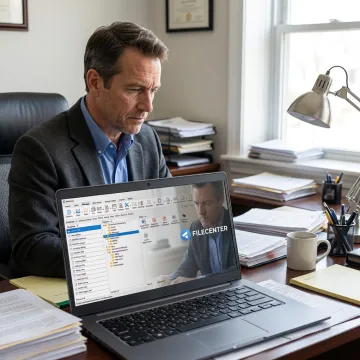
Search, organize, scan, edit, route, and archive legal documents with practical software built for document-heavy teams.
Search legal files by filename, metadata, or full-text OCR content so your team can locate contracts, pleadings, exhibits, and correspondence across large repositories faster.
Convert scanned legal records into searchable PDFs, helping users find key terms inside paper-derived contracts, discovery packets, signed forms, and archived matter files.
Organize digital and scanned legal documents in a Windows-based electronic filing system without proprietary databases, making everyday storage and retrieval more familiar.
Create, edit, annotate, merge, split, and organize PDFs without separate software, supporting legal review, document preparation, and case file management.
Automatically name, separate, and route documents using content or barcodes, reducing manual sorting during scanning and intake-heavy legal workflows.
Centralize long-term storage for searchable legal records, supporting easier access to closed matters, audit materials, compliance documents, and retained business files.
FileCenter gives legal teams a practical way to search, organize, and manage case-related documents without expensive enterprise complexity. From scanned paper files to PDFs, Office documents, and archived records, the software centralizes filing while making content discoverable through OCR and full-text search. Built-in PDF editing, routing, and templates help firms standardize work and reduce repetitive administrative tasks.
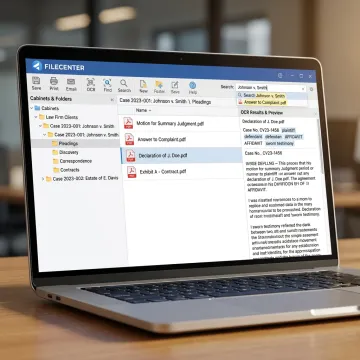
See how document-heavy teams reduce filing friction and retrieve critical records with greater confidence.
FileCenter combines practical legal document tools with pricing designed for real-world firms.
One-time purchase options help firms avoid recurring subscription costs and control software budgets.
OCR and full-text search make scanned legal records easier to locate and reuse.
Automated naming, routing, and folder templates reduce repetitive filing work for busy legal staff.
Standard, Pro, and Pro Plus editions support solo users through multi-user deployments.
Built for professionals managing high-volume document workflows.
FileCenter is built for professionals who need powerful document management without the cost and complexity of premium enterprise systems. Its focus is simple: help document-heavy organizations create searchable, organized, and accessible digital filing workflows using tools they already understand, including Windows folders, PDFs, scanners, and cloud storage platforms. For legal teams, that means faster access to matter files, fewer manual filing mistakes, and stronger control over scanned and digital records. With scalable Standard, Pro, and Pro Plus editions, FileCenter gives solo professionals, small firms, and larger organizations a practical path to paperless filing, OCR search, PDF management, automation, and centralized collaboration.
Legal document search software helps law firms store, index, and retrieve digital case files, contracts, pleadings, correspondence, and scanned records. FileCenter combines document management, OCR, folder templates, PDF tools, and full-text search so users can locate files by filename, metadata, or document contents rather than manually browsing through folders.
Get practical guidance on legal document search and filing.

Risk-free evaluation for every edition.
Affordable software without recurring subscription fees.
Advanced OCR for searchable legal files.
Tell us about your current filing, scanning, and search challenges, and we’ll help you identify the FileCenter edition that fits your legal workflow.
To help us assist you faster, please include the reason for your message so the relevant team can reach out as soon as possible.
To help us assist you faster, please include the reason for your message so the relevant team can reach out as soon as possible.