PDF Conversion
Convert Office files into PDFs and turn scanned PDFs into editable Word, Excel, or PowerPoint documents for faster preparation, sharing, and record management.

Download FileCenter for a practical Windows-based PDF converter that turns Office files into PDFs, converts scanned PDFs into editable documents, and keeps every file organized. Built for document-heavy professionals, it combines PDF conversion, OCR, scanning, editing, and search in one affordable platform without forcing teams into expensive enterprise software.
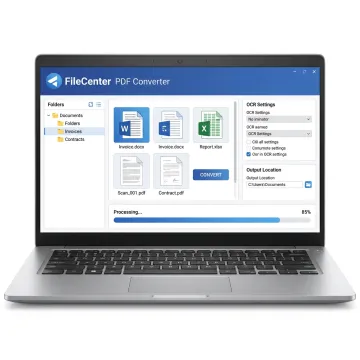
FileCenter combines PDF conversion, editing, OCR, scanning, and filing tools for efficient Windows document workflows.
Convert Office files into PDFs and turn scanned PDFs into editable Word, Excel, or PowerPoint documents for faster preparation, sharing, and record management.
Create, edit, annotate, merge, split, and organize PDF files without buying separate third-party tools for everyday document handling.
Convert scanned documents into searchable PDFs so contracts, invoices, tax forms, claims, and records can be located by text.
Scan paper documents directly into organized Windows folders, helping teams digitize records and build a more searchable paperless office.
Save and retrieve files through Microsoft Office and familiar Windows dialogs, keeping PDF conversion aligned with existing workflows.
Automate PDF conversion, OCR processing, routing, and filing tasks to reduce manual effort across high-volume document workflows.
FileCenter gives Windows users a complete PDF conversion workspace instead of a single-purpose tool. Convert Office documents to PDF, make scanned PDFs editable, apply OCR, organize files, and retrieve documents quickly from a central filing system. With scalable editions, one-time pricing, and a 30-day money-back guarantee, it is built for practical business document control.
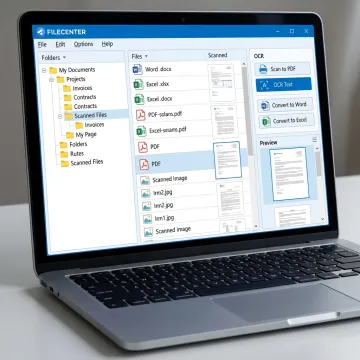
See how document-heavy teams simplify PDF conversion, OCR, scanning, filing, and retrieval with FileCenter.
FileCenter delivers practical PDF conversion and document management without enterprise-level cost or complexity.
One-time purchase options help users avoid ongoing subscription costs for PDF conversion tools.
PDF conversion, OCR, scanning, editing, filing, and search work together in one platform.
Standard, Pro, and Pro Plus editions support individuals, growing teams, and larger deployments.
A 30-day money-back guarantee lets users test real workflows before committing.
Affordable PDF and document management software for Windows users.
FileCenter is designed for professionals and organizations that need powerful document management software at a price they can afford. Its platform brings together PDF conversion, OCR, scanning, editing, search, and digital filing so users can move away from scattered folders, manual naming, and expensive enterprise tools. FileCenter serves individual professionals, small businesses, medium enterprises, and larger document-heavy organizations across industries such as legal, accounting, financial services, healthcare, real estate, government, and compliance-driven operations. The product is positioned as a low-cost leader while still offering advanced capabilities like zonal OCR, automated routing, network sharing, cloud compatibility in Pro Plus, and scalable editions for different budgets.
FileCenter is Windows-based software that converts Microsoft Office documents, including Word files, into PDF format while also supporting PDF editing, scanning, OCR, and document organization. For legacy systems such as Windows 7, review the current edition requirements before installing to confirm compatibility with your operating system, Office version, and document workflow needs.
Get practical guidance before choosing your FileCenter edition.

Risk-free evaluation across all editions.
Affordable ownership without recurring subscription fees.
Premium OCR accuracy in Pro Plus edition.
Tell us how you handle PDFs, scans, and document filing today, and FileCenter can help you choose the right edition for your workflow.
To help us assist you faster, please include the reason for your message so the relevant team can reach out as soon as possible.
To help us assist you faster, please include the reason for your message so the relevant team can reach out as soon as possible.