Document Scanning
Convert paper charts, forms, billing files, and administrative records into organized digital folders, helping healthcare organizations reduce paper storage and create a more searchable document system.

Turn paper charts, patient forms, insurance documents, and administrative records into organized digital files with Medical Records Scanning Services powered by FileCenter. Our scanning, OCR, PDF, and document management tools help healthcare teams reduce paper clutter, improve retrieval speed, and maintain structured records without costly enterprise systems or complicated subscription software.
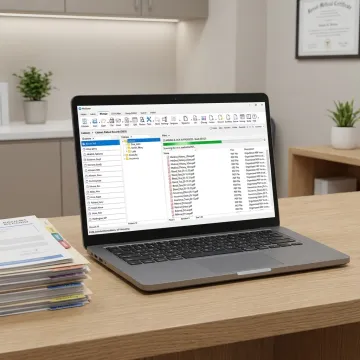
Digitize, organize, search, and manage medical records with scanning, OCR, routing, archiving, and PDF tools.
Convert paper charts, forms, billing files, and administrative records into organized digital folders, helping healthcare organizations reduce paper storage and create a more searchable document system.
Transform scanned medical documents into searchable PDFs so staff can locate patient forms, insurance claims, compliance documents, and archived records using full-text search.
Automatically name documents based on content or barcodes and route them into the correct folders, reducing manual sorting and improving consistency across healthcare filing workflows.
Keep digitized medical and administrative records in centralized long-term storage, making them easier to retrieve for audits, internal reviews, compliance workflows, and operational needs.
Use filenames, metadata, and full-text OCR search to quickly locate records across large repositories, helping healthcare administrators save time and reduce filing bottlenecks.
Manage scanned files through cloud-compatible platforms such as OneDrive, Google Drive, Dropbox, and SharePoint, supporting secure access for distributed or remote healthcare teams.
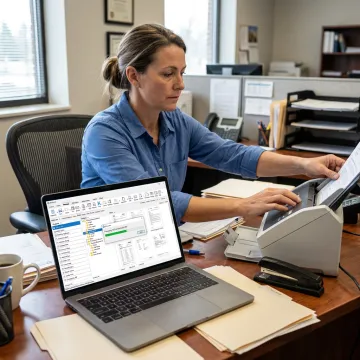
Start by scanning paper medical records, patient forms, billing documents, and administrative files directly into organized digital folders. FileCenter supports document-heavy healthcare environments that need consistent digital capture without complex enterprise systems.
See how document-heavy teams simplify scanning, retrieval, and digital filing with FileCenter tools.
FileCenter combines affordability, usability, and powerful document tools for healthcare records.
Professional scanning, OCR, PDF, and filing features without high enterprise software costs.
Standard, Pro, and Pro Plus editions support individuals, clinics, departments, and larger organizations.
Full-text OCR search helps healthcare teams find digitized patient and administrative files faster.
Automated naming, routing, and separation reduce manual sorting for recurring medical record workflows.
Practical document management tools for healthcare record workflows.
FileCenter helps professionals and organizations replace disorganized paper processes with practical, affordable document management software. Built for document-heavy industries such as healthcare, legal, accounting, insurance, financial services, brokerage, and government, FileCenter combines scanning, OCR, PDF editing, file search, automated routing, and centralized filing in one accessible platform. The company positions itself as a low-cost leader, offering professional-grade capabilities at a fraction of typical enterprise pricing. With scalable editions for individuals, small businesses, growing teams, and larger organizations, FileCenter’s vision is simple: make powerful document management tools easier to adopt, easier to afford, and easier to use every day.
Medical records scanning converts paper patient charts, intake forms, insurance documents, lab reports, and administrative files into digital documents. With FileCenter, scanned files can be stored in organized folders, converted into searchable PDFs using OCR, and retrieved by filename, metadata, or full-text search. This helps healthcare teams reduce paper storage and improve daily access to critical records.
Get clear guidance on scanning, OCR, and document workflows.

Risk-free evaluation for every FileCenter edition.
Advanced text recognition for searchable medical files.
Affordable document management without recurring subscriptions.
Tell us about your scanning volume, filing needs, and workflow goals. We’ll help you identify the right FileCenter edition and features for medical record digitization.
To help us assist you faster, please include the reason for your message so the relevant team can reach out as soon as possible.
To help us assist you faster, please include the reason for your message so the relevant team can reach out as soon as possible.