Document Scanning
Scan paper records directly into organized digital folders, helping accounting, legal, healthcare, insurance, financial, and brokerage teams replace paper filing with searchable electronic records.

Turn high-volume paper workflows into organized, searchable digital files with FileCenter. Built for document-heavy offices, it combines scanning, OCR, PDF editing, automated naming, routing, and retrieval in one affordable platform. Whether you manage legal files, accounting records, healthcare documents, or compliance paperwork, FileCenter helps reduce manual filing and keeps critical records easy to find.
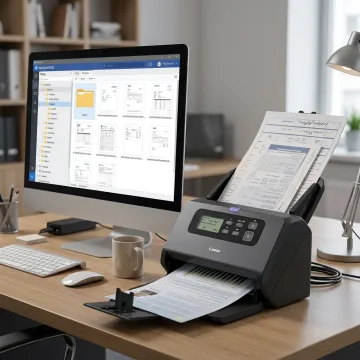
FileCenter combines scanning, OCR, routing, PDF tools, search, and digital filing for high-volume document workflows.
Scan paper records directly into organized digital folders, helping accounting, legal, healthcare, insurance, financial, and brokerage teams replace paper filing with searchable electronic records.
Convert scanned documents into searchable PDFs so teams can find contracts, invoices, patient records, tax forms, claims, and compliance files using full-text search.
Automatically name, separate, and route documents based on content or barcodes, reducing repetitive filing work and keeping high-volume document workflows consistent.
Use filename, metadata, and full-text OCR search to quickly locate documents across large repositories, improving productivity for teams managing thousands of digital files.
Organize scanned and digital documents in a Windows-based filing system that supports client files, case records, policies, claims, administrative records, and compliance documentation.
Create, edit, annotate, merge, split, convert, and organize PDFs without separate software, supporting faster preparation and management of document-heavy business records.
High-volume scanning is only valuable when every file is easy to store, search, edit, and retrieve. FileCenter helps document-heavy teams move beyond piles of paper by combining scanning workflows, OCR, PDF management, automated routing, and standardized filing. It is especially useful for offices that need enterprise-grade document control without the complexity or cost of premium systems.
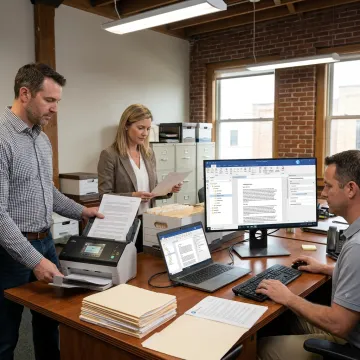
Built for teams that need faster scanning, cleaner filing, and easier access to critical records.
FileCenter brings enterprise-style document management tools to everyday business workflows.
One-time purchase pricing keeps high-volume scanning workflows affordable without recurring subscription costs.
OCR, PDF editing, scanning, and routing tools reduce the need for separate software.
Standard, Pro, and Pro Plus editions fit individuals, small businesses, and larger deployments.
A 30-day money-back guarantee lets teams evaluate FileCenter before committing.
Software built for document-heavy professionals and growing teams.
FileCenter helps professionals and organizations simplify paper-heavy operations with powerful document management software at a price they can afford. Its platform is built for businesses that handle large volumes of records every day, including accounting, legal, insurance, financial services, brokerage, healthcare, real estate, government, and compliance-driven teams across the U.S. Rather than forcing users into complex proprietary databases, FileCenter supports familiar Windows-based filing, scanning, OCR, PDF editing, cloud compatibility, and network sharing. The company’s focus is practical: give document-heavy teams professional-grade tools, reduce manual sorting, improve discoverability, and make paperless workflows easier to adopt without enterprise-level cost or complexity.
The best high volume document scanners pair reliable scanning hardware with software that can organize, OCR, name, route, and retrieve files automatically. For business use, look for duplex scanning, automatic document feeding, searchable PDF creation, folder-based organization, and support for your existing workflows. FileCenter focuses on the software side, helping turn scanned pages into usable digital records.
Get guidance on scanning, OCR, PDF tools, and edition selection.

Risk-free evaluation for every edition.
No recurring subscription fees required.
Premium OCR options for accurate recognition.
Tell us about your document volume, scanning workflow, and filing needs, and we’ll help you identify the right FileCenter edition.
To help us assist you faster, please include the reason for your message so the relevant team can reach out as soon as possible.
To help us assist you faster, please include the reason for your message so the relevant team can reach out as soon as possible.