Invoice Scanning
Scan paper vendor invoices directly into organized digital folders, helping AP teams reduce physical storage, speed up processing, and maintain cleaner invoice records.

FileCenter helps accounts payable teams replace scattered invoice folders, manual naming, and slow approvals with organized digital filing, OCR search, PDF tools, and automated routing. Capture paper or emailed vendor invoices, convert them into searchable records, and keep supporting documents easy to retrieve for audits, approvals, and month-end close—without paying enterprise software prices or disruptive process changes.
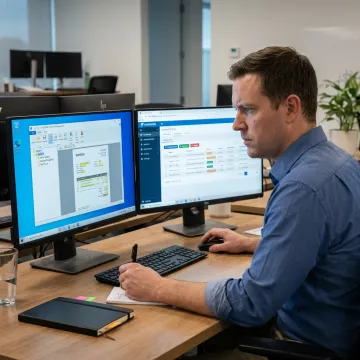
Capture, organize, search, route, and archive vendor invoices with practical tools built for AP teams.
Scan paper vendor invoices directly into organized digital folders, helping AP teams reduce physical storage, speed up processing, and maintain cleaner invoice records.
Convert scanned invoices into searchable PDFs so users can quickly find vendor names, invoice numbers, totals, dates, and supporting details.
Use document contents, barcodes, and workflow rules to name invoices consistently and route them into the correct vendor or department folders.
Create, edit, annotate, merge, split, and organize invoice PDFs without relying on costly third-party PDF tools or disconnected applications.
Keep vendor invoices and related accounting records centralized, searchable, and accessible for audits, compliance reviews, and operational reporting.
Support shared access through network deployment and cloud-compatible document management for teams working across offices or remote environments.
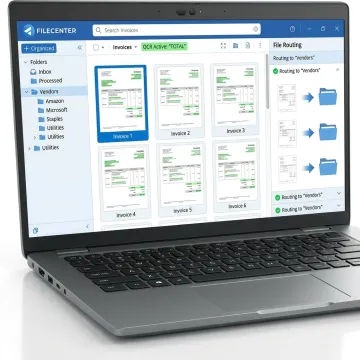
Scan paper invoices, save emailed PDFs, or bring existing vendor documents into FileCenter. Accounts payable teams can start from current folders and standardize invoice intake without replacing familiar Windows-based workflows.
See how document-heavy teams reduce filing work and improve invoice record visibility.
FileCenter gives accounts payable teams powerful document control without enterprise complexity.
One-time purchase options help AP teams avoid recurring enterprise subscription costs.
OCR, PDF editing, scanning, and routing are included in one document platform.
Three scalable editions support individuals, growing businesses, and multi-user deployments.
A 30-day money-back guarantee lets teams evaluate invoice workflows confidently.
Software built for practical, affordable document control.
FileCenter focuses on practical document management for professionals and organizations that handle high volumes of business records. Its software is designed for accounting, financial services, legal, healthcare, real estate, government, and other document-heavy teams that need reliable scanning, OCR, PDF tools, search, and organized digital filing. FileCenter’s market position is clear: deliver professional-grade functionality at a price businesses can afford. With Standard, Pro, and Pro Plus editions, customers can choose the level of automation, OCR accuracy, cloud compatibility, and network administration that fits their workflow. For accounts payable teams, that means a more organized way to manage vendor invoices without committing to expensive enterprise systems.
The best invoice software depends on whether you need accounting, payment, or document workflow features. For accounts payable teams struggling with scanned invoices, PDFs, vendor folders, and retrieval, FileCenter is built to organize invoice documents, apply OCR, automate naming, manage PDFs, and make records searchable without the cost of enterprise document management platforms.
Get practical guidance on choosing the right invoice workflow setup.

Risk-free evaluation on all editions.
Premium recognition for accurate searchable invoices.
Professional features without enterprise pricing.
Tell us about your invoice volume, filing challenges, and approval workflow so we can help you identify the right FileCenter edition.
To help us assist you faster, please include the reason for your message so the relevant team can reach out as soon as possible.
To help us assist you faster, please include the reason for your message so the relevant team can reach out as soon as possible.