Document Management
Organize digital and scanned client files in a familiar Windows-based filing system, helping real estate attorneys manage contracts, closing records, disclosures, title documents, and correspondence without proprietary databases.

FileCenter helps real estate attorneys organize closing files, contracts, disclosures, title documents, correspondence, and scanned records in one searchable digital workspace. Built for document-heavy legal workflows, it combines scanning, OCR, PDF tools, automated filing, and secure archiving so firms can reduce paper clutter, find matter documents faster, and manage client files without expensive enterprise software.

Document management, OCR, scanning, PDF, search, and workflow tools for real estate legal teams.
Organize digital and scanned client files in a familiar Windows-based filing system, helping real estate attorneys manage contracts, closing records, disclosures, title documents, and correspondence without proprietary databases.
Convert paper closing packets, leases, recorded documents, and client records into organized digital files, helping legal teams reduce physical storage and move toward a searchable paperless office.
Turn scanned real estate documents into searchable PDFs so attorneys and staff can quickly locate clauses, names, parcel details, dates, and transaction terms across large matter repositories.
Create, edit, annotate, merge, split, and organize PDFs for closing binders, contract drafts, disclosure packets, and other real estate law documents without relying on separate software.
Automate OCR processing, PDF conversion, document routing, and filing steps to reduce repetitive administrative work across high-volume real estate transaction and legal compliance workflows.
Find files quickly using metadata, filenames, and full-text OCR search, making it easier to retrieve matter documents, client correspondence, title records, and archived transaction materials.
Real estate legal work depends on fast access to accurate documents. FileCenter gives attorneys a practical way to scan paper records, standardize matter folders, edit PDFs, apply OCR, and search across transaction files from a familiar Windows-based system. With scalable editions and one-time pricing, firms can modernize document workflows without adopting costly enterprise platforms.
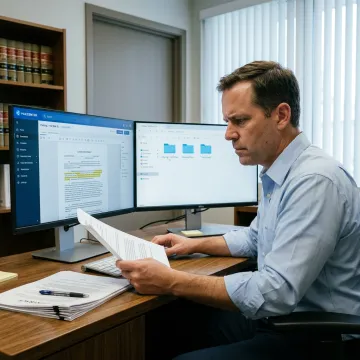
See how document-heavy professionals simplify filing, retrieval, scanning, and PDF workflows with FileCenter.
FileCenter combines professional document tools with practical pricing for legal teams.
One-time purchase pricing helps firms control software costs without required recurring subscriptions.
OCR, PDF editing, scanning, and filing tools work together in one platform.
Bates stamp, barcode support, and structured filing help support legal document workflows.
Standard, Pro, and Pro Plus editions let firms match features to budget and complexity.
Practical document software built for professional firms.
FileCenter is built for professionals who need powerful document management software at a price they can afford. The platform serves legal services, real estate professionals, accounting and financial teams, healthcare providers, government users, and other document-heavy organizations. For real estate law firms, FileCenter focuses on practical day-to-day efficiency: searchable scanned documents, standardized folder structures, PDF editing, automatic naming, and fast retrieval. Its positioning as a low-cost leader means attorneys can access features often associated with high-cost enterprise systems while keeping software ownership straightforward through one-time purchase pricing and scalable editions.
Real estate lawyers commonly use document management software, PDF editing tools, scanning and OCR software, secure archiving systems, and cloud storage integrations. FileCenter combines these functions in one platform, helping attorneys scan closing packets, edit PDFs, apply searchable text, organize matter folders, and retrieve contracts, title records, disclosures, and correspondence without juggling multiple disconnected applications.
Get clear answers before choosing your FileCenter edition.

Risk-free evaluation for every edition.
Affordable licensing without recurring subscriptions.
Built for legal document workflows.
Tell us about your firm’s document workflow, user count, and filing needs, and we’ll help you identify the FileCenter edition that fits best.
To help us assist you faster, please include the reason for your message so the relevant team can reach out as soon as possible.
To help us assist you faster, please include the reason for your message so the relevant team can reach out as soon as possible.