Document Management
Organize digital and scanned legal documents in a familiar Windows-based filing system, helping firms manage case files, client records, correspondence, and compliance documents without proprietary databases.

FileCenter helps law firms organize matters, scan paper files, search case documents, edit PDFs, and automate repetitive filing work without expensive enterprise software. Built for document-heavy legal teams, it combines OCR, Bates and barcode support, automated naming, cloud compatibility, and centralized access so attorneys and staff can find the right file faster and reduce administrative bottlenecks.
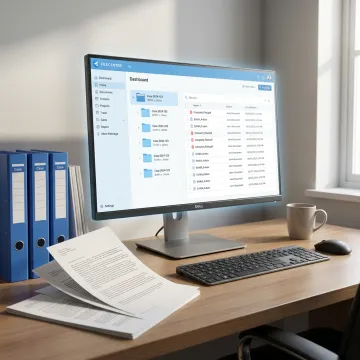
Practical document tools for scanning, searching, organizing, editing, and automating law firm files.
Organize digital and scanned legal documents in a familiar Windows-based filing system, helping firms manage case files, client records, correspondence, and compliance documents without proprietary databases.
Centralize long-term storage for legal records while keeping documents searchable and available for audits, retention requirements, internal reviews, and day-to-day matter management.
Convert scanned pleadings, contracts, exhibits, correspondence, and client records into searchable PDFs so attorneys and staff can quickly locate information inside documents.
Automatically name documents using content or barcodes and route them into the right folders, improving consistency across cases, departments, and recurring legal workflows.
Find case documents faster using filenames, metadata, and full-text search across large repositories, reducing time spent hunting through folders and shared drives.
Create, annotate, merge, split, and organize PDFs without separate expensive tools, supporting document preparation, review, filing, and collaboration across legal teams.
FileCenter gives law firms a practical way to bring case documents, scanned paper records, PDFs, and client files into one organized system. Instead of relying on scattered folders or expensive enterprise platforms, teams can standardize matter filing, search document text, automate naming, and edit PDFs with tools designed for busy legal work.

See how document-heavy professionals simplify filing, retrieval, scanning, and PDF work with FileCenter.
FileCenter brings powerful legal document tools together at a price firms can justify.
One-time purchase pricing keeps legal document management predictable without ongoing subscription costs.
OCR, PDF editing, scanning, Bates support, and routing reduce separate software needs.
Standard, Pro, and Pro Plus editions fit solo attorneys through larger deployments.
Every edition includes a 30-day money-back guarantee for confident evaluation.
Built for practical, affordable document productivity.
FileCenter is built around a straightforward idea: powerful document management software should be affordable, practical, and easy to adopt. The platform serves document-heavy professionals, including law firms, accounting practices, financial services teams, healthcare providers, and compliance-driven organizations. Its focus is helping teams replace disorganized folders, paper-heavy processes, and costly single-purpose tools with centralized filing, scanning, OCR, PDF editing, and automation. With scalable Standard, Pro, and Pro Plus editions, FileCenter gives solo professionals and larger organizations room to choose the capabilities they need without paying for unnecessary enterprise complexity. The result is a document system designed for everyday productivity, not software overhead.
The best legal document management software helps law firms centralize case files, scan paper records, search document text, automate filing, and manage PDFs without disrupting daily work. FileCenter is a strong option for firms that want professional-grade OCR, PDF editing, Bates stamp and barcode support, folder templates, and automated routing at a lower cost than many enterprise platforms.
Get practical guidance on the right setup for your firm.

Risk-free evaluation for every edition.
Designed for legal document workflows.
Professional features at affordable pricing.
Tell us about your firm’s document challenges, preferred workflows, and team size, and we’ll help you identify the FileCenter edition and features that fit best.
To help us assist you faster, please include the reason for your message so the relevant team can reach out as soon as possible.
To help us assist you faster, please include the reason for your message so the relevant team can reach out as soon as possible.